58
O = on, N = off, F = flashing
You can check the amount of ink remaining in the ink cartridges
when running Nozzle Check from the printer’s control panel. The
Nozzle Check printout shows the percentage of remaining ink.
To run the Nozzle Check from the printer’s control panel, see
“Using the control panel buttons” in the online Reference Guide for
instructions.
Replacing an Ink Cartridge
This printer uses ink cartridges equipped with IC chips. The IC
chip accurately monitors the amount of ink used by each
cartridge, so even if a cartridge is removed and later inserted
again, all of its ink can be used. However, some ink is consumed
each time the cartridge is inserted because the printer
automatically checks reliability.
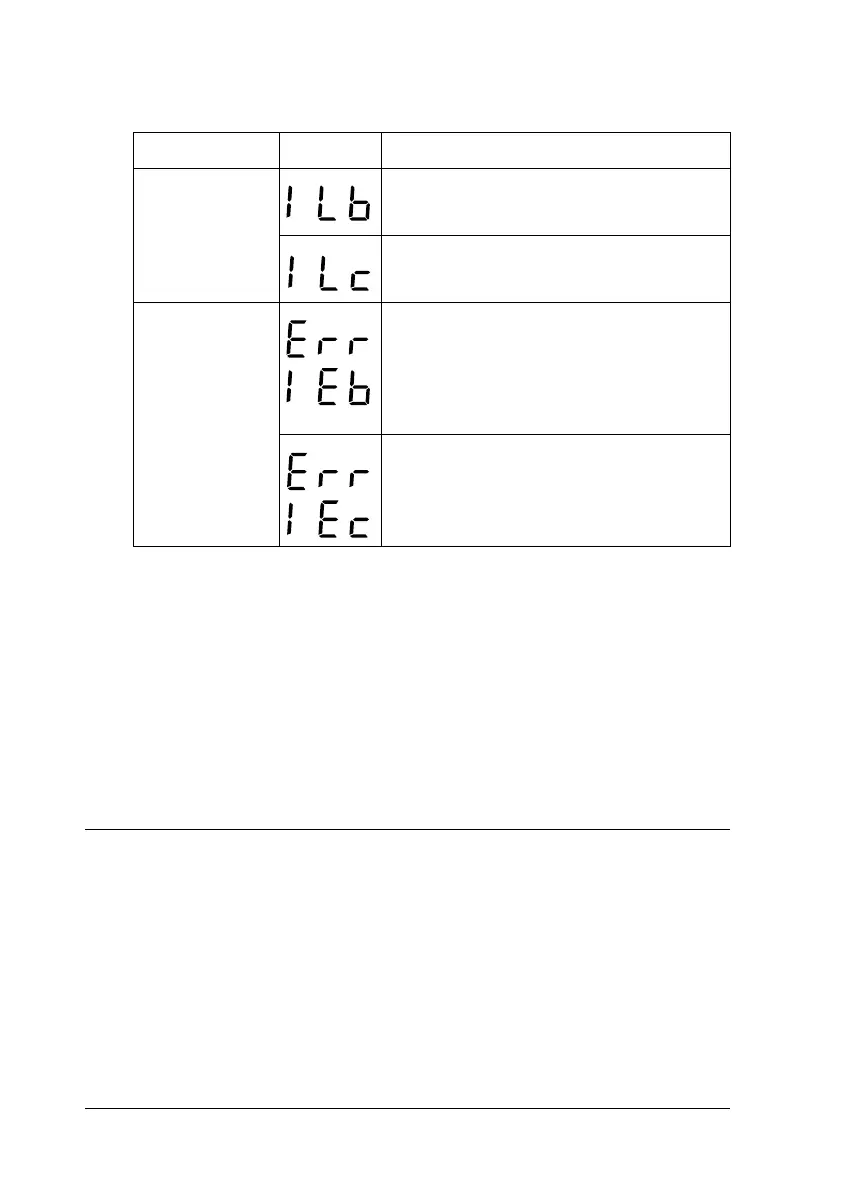
Error light Display Action
F
b Black ink cartridge is nearly empty.
Color ink cartridge is nearly empty.
O
b Black ink cartridge is empty.
Replace with a new one.
Standard capacity, black: T007
Light capacity, black: T010
Color ink cartridge is empty.
Replace with a new one.
Color: T008














 To Next Page