4.
5.
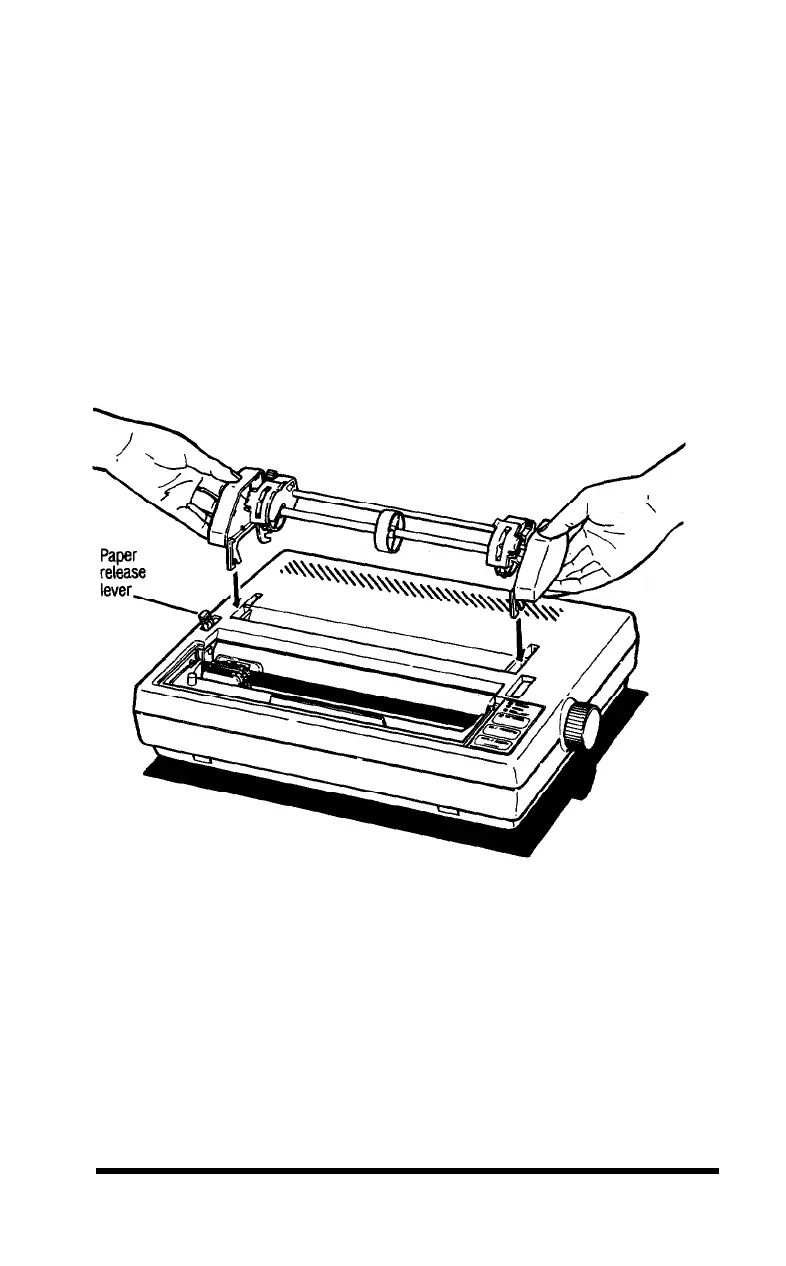
Pull the paper release lever forward. (See Figure 1-8.) The double-
arrow icon in front of the lever marks the position the lever should
be in for using continuous-feed paper (or for releasing paper).
Now install the tractor unit. First, hold the unit so that its black
legs are facing downward, as shown in Figure 1-8.
Figure 1-8.
Preparing to install the tractor unit
Setting Up
1-9












 To Next Page