positions) and add the values of any dots that are used there. Finally,
you look at the bottom group (two dot positions) and add together the
values used there.
If no dots are used in a group, the data number for that group is
zero. All zeros must be entered in the DATA statements for the NLQ
definition programs.
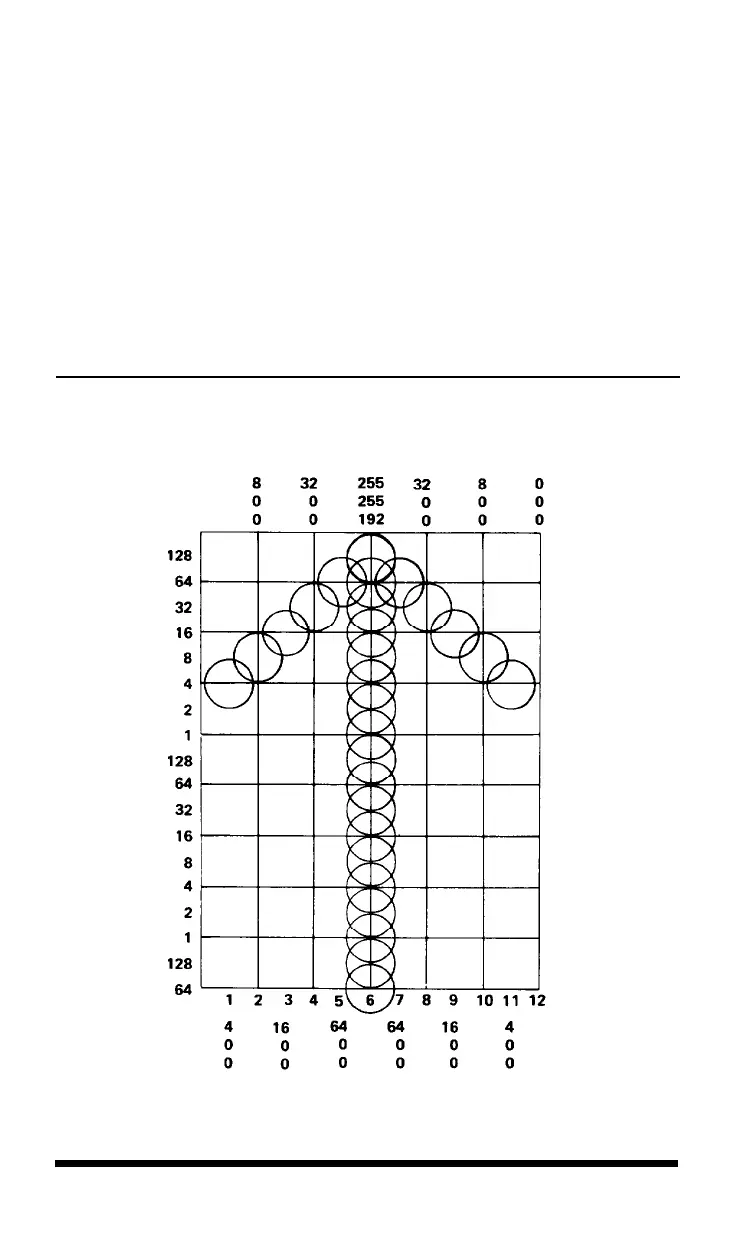
Now you can learn how to use the NLQ character definition with a
simple arrow design. Figure 5-7 shows the design drawn on a grid and
the data numbers printed at the top or bottom of each column.
Figure 5-7.
Arrow design and data numbers
5.10
User-defined Characters












 To Next Page