12 Placing Originals for Copying or Scanning
Placing Originals for Copying
or Scanning
You can place one or two photos or a document up to letter-size (or A4) on the
scanner glass to make color or black and white copies.
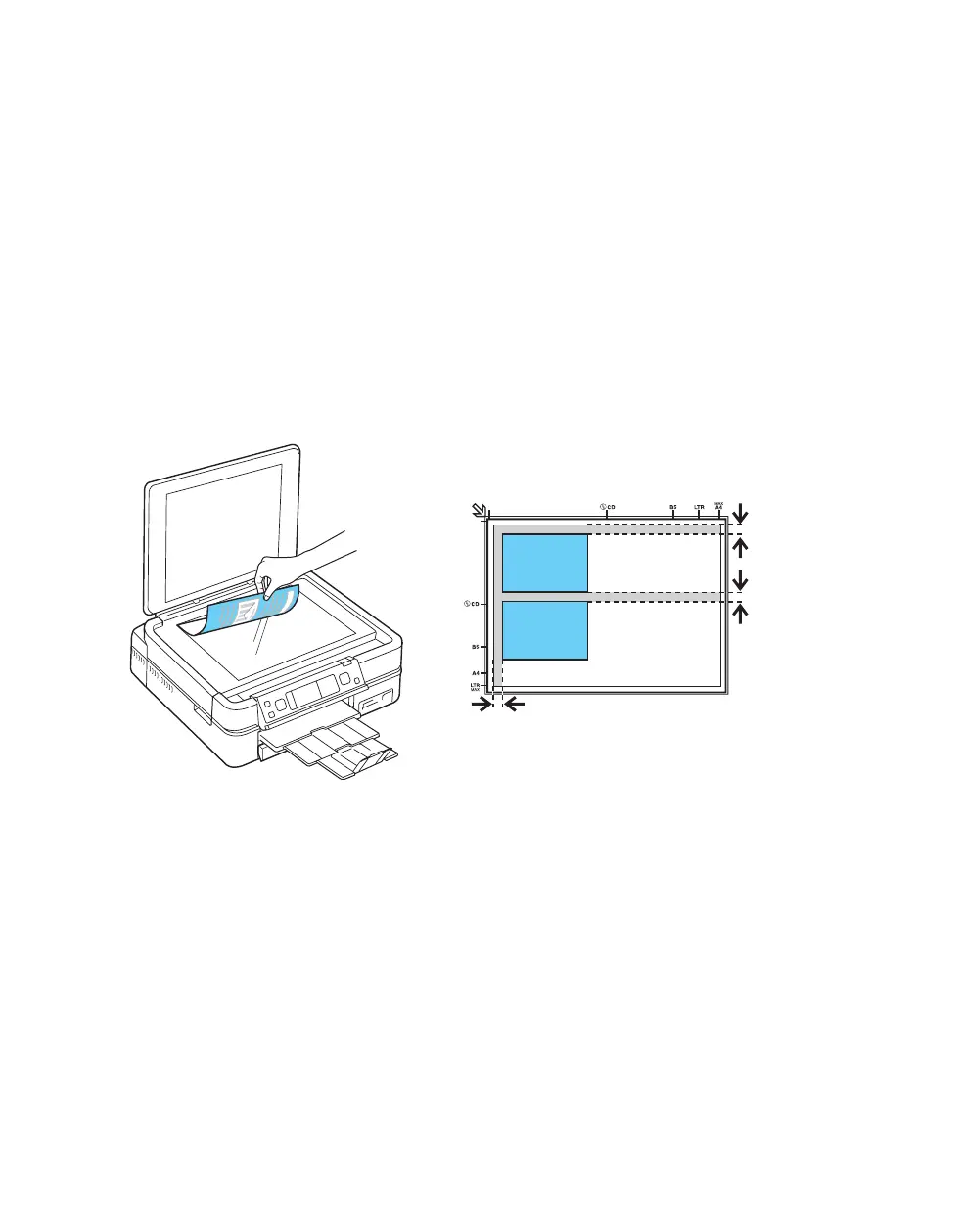
1. Open the document cover and place your original face-down on the scanner
glass, with the top against the back left corner.
If you’re scanning 3 × 5- or 4 × 6-inch photos, you can place up to two at a
time on the scanner glass. Place them at least 1/4 inch (5 mm) apart.
Note:
If the edges of your document or photo are cut off, move the document or photo
1/4 inch (5 mm) away from the corner of the scanner glass.
2. Close the cover gently so you don’t move the original(s).
1/4 inch (5 mm)
1/4 inch (5 mm)



 To Next Page
 Loading...









