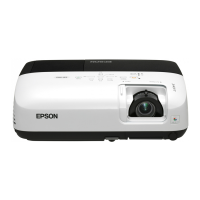
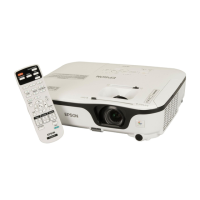
EB-E01 series
INTERNAL USE ONLY
SEIKO EPSON 9 Revision A
3.5.1.1 Insulation resistance test ................................................................... 143
3.5.1.2 Ground continuity check................................................................... 144
3.5.1.3 Illumination check ............................................................................ 144
3.5.2 Initialization............................................................................................... 145
3.5.3 Operation Check for control panel ............................................................ 145
3.5.4 Operation Check for remote controller...................................................... 145
3.5.5 Operation Check for video input/output .................................................... 146
3.5.6 Operation Check for audio input/output .................................................... 146
3.5.7 Communication Check .............................................................................. 147
3.5.8 Internal Cable Connection Check.............................................................. 147
3.5.9 The service tools and the adjustment tasks list which required before
and after parts replacement.................................................................................. 148
3.5.10 Service tool list ........................................................................................ 150
3.6 Writing the DR Data........................................................................................... 152
3.6.1 Overview.................................................................................................... 152
3.6.2 Preparation................................................................................................. 153
3.6.3 Operating Procedure .................................................................................. 153
3.6.3.1 Workflow .......................................................................................... 153
3.6.3.2 Check in advance .............................................................................. 154
3.6.3.3 Replacing the Optical Engine ........................................................... 156
3.6.3.4 Replacing the MA Board .................................................................. 158
3.7 G Sensor Calibration .......................................................................................... 161
3.7.1 Overview.................................................................................................... 161
3.7.2 Preparation................................................................................................. 161
3.7.3 Procedure ................................................................................................... 161
3.8 LCD Alignment .................................................................................................. 162
3.8.1 Overview.................................................................................................... 162
3.8.2 Pixel color shift confirmation method ....................................................... 162
3.8.3 LCD alignment activation method............................................................. 162
3.8.3.1 Adjustment method........................................................................... 164
3.9 Part Names List .................................................................................................. 166
Chapter 4 Appendix
4.1 AS (After Service) Menu.................................................................................... 171
4.1.1 How To Display the AS (After Service) Menu ......................................... 171
4.1.1.1 How to enter the AS menu................................................................ 171
4.1.1.2 Menu Contents .................................................................................. 171
4.1.2 Confirmation method using IPS tool ......................................................... 184
4.1.2.1 Preparation ........................................................................................ 184
4.1.2.2 Confirmation method which connects PC with projector................. 184
4.1.2.3 Confirmation method using a USB memory .................................... 188
4.1.3 Initializing (Resetting)............................................................................... 190


 To Next Page