93
Controlling a Networked Projector Using a Web Browser
f
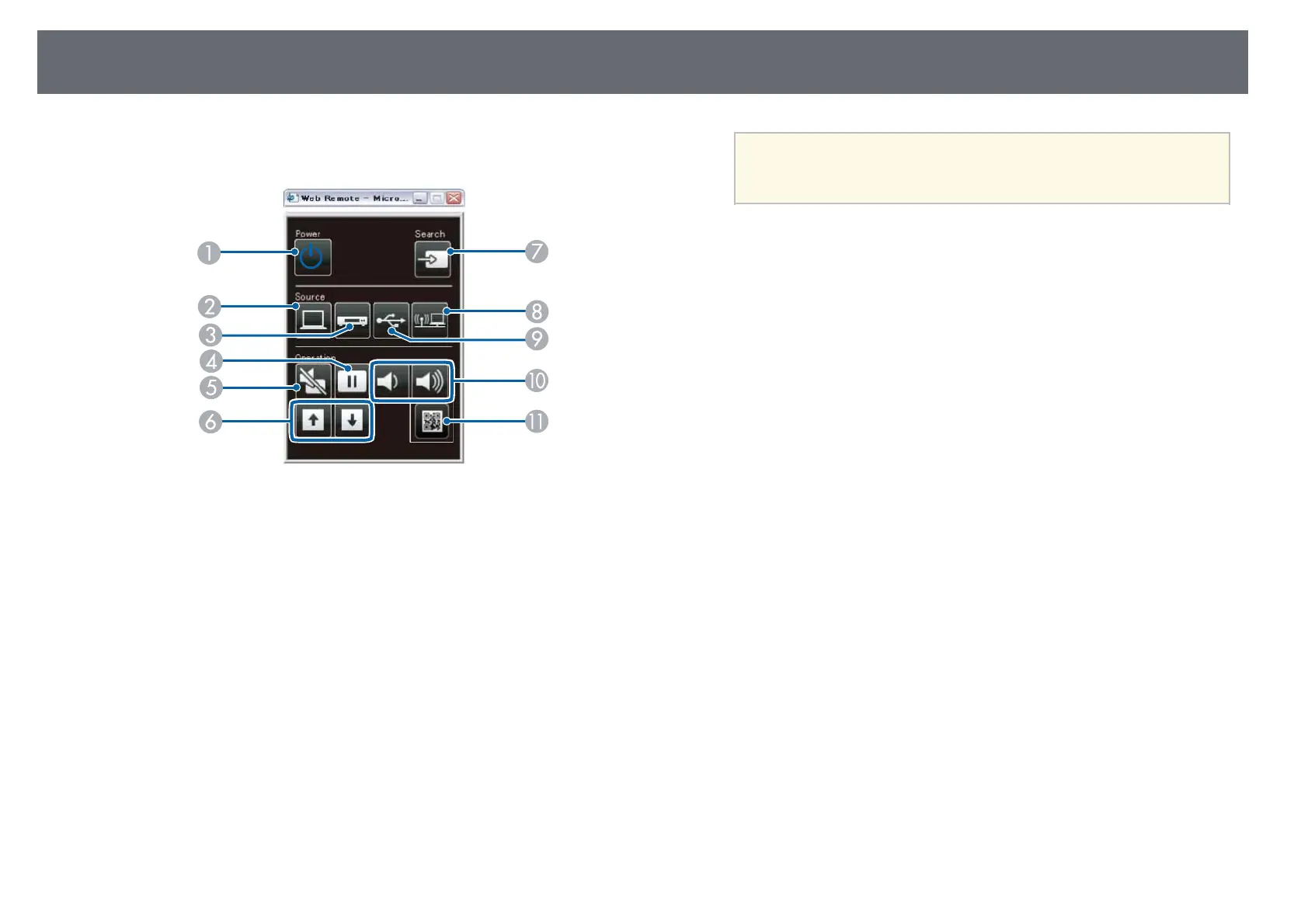
Select the icon corresponding to the projector function you want to
S-Video is available with the EB-W32/EB-W31/EB-X36/EB-
control.
a
X31/EB-S31/EB-W04/EB-X04/EB-S04/EB-W130/EB-X130/EB-
S130/EB-X350/EB-X300/EB-S300.
gg Related Links
• "Network Menu - Basic Menu" p.109
• "Projector Setup Settings - ECO Menu" p.115
A
Power button control
B
Selects Computer port source
C
Selects S-Video, Video or HDMI/MHL port source
D
Freeze button control
E
A/V Mute button control
F
Page Up and Page Down button controls
G
Searches for sources
H
Selects the network source
I
Selects the USB Display or USB device source
J
Volume button controls
K
Displays the QR code


 To Next Page