EasyManua.ls Logo

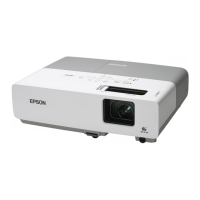
Epson EMP-822 - User Manual

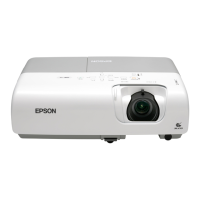
Epson EMP-822
78 pages
Print Icon
To Next Page IconTo Next Page
Loading...
1
User's Guide

Table of Contents

Other manuals for Epson EMP-822

Questions and Answers

  • S
    Sara BruceSep 10, 2025
    What does Fan Error Sensor Error mean on Epson EMP-822?
    • A
      amber59Sep 12, 2025
      If your Epson Projector displays 'Fan Error Sensor Error', check the connections between the fans/sensors and the MA board. If the error continues after checking the connections, replace the Optical Engine and MAB set because the MA board is broken.
  • R
    royangelaSep 9, 2025
    Why does my Epson EMP-822 say the lamp cover is open?
    • J
      James ColeSep 9, 2025
      If your Epson Projector displays 'Lamp cover open (LC)', it could be due to several reasons: an abnormality of the Lamp Lid Detection Switch, an inappropriate cable connection, or an abnormality of the Lamp Lid itself. Replace the Lamp Cover if the Lamp Lid Detection Switch or the Lamp Lid is abnormal. Correct the connection if the cable connection is inappropriate.
  • C
    Carrie GuzmanSep 8, 2025
    What to do if my Epson EMP-822 has a thermistor error?
    • L
      lbryanSep 8, 2025
      If your Epson Projector displays 'Thermistor error (SE)', ensure the connectors are properly connected. If not, correct the connection. If the cable is disconnected, replace the thermistor. Replace the sensor board if it has failed. If there is an abnormality of the circuit, replace the Optical Engine and MAB set.
  • L
    lynn50Aug 22, 2025
    What to do if my Epson Projector displays 'No Signal'?
    • M
      Michael VargasAug 23, 2025
      If your Epson Projector displays a 'No Signal' message, try the following: * Ensure all cables required for projection are securely connected. * Change the image source by pressing the [Source Search] button on the remote control or the control panel. * Turn on the power for the connected equipment. * If image signals are only outputting to the computer's LCD monitor, change the output to an external destination as well as the computer's own monitor.
  • A
    Angela DavisSep 5, 2025
    How to fix a fan error on an Epson EMP-822?
    • W
      walvarezSep 5, 2025
      If your Epson Projector displays 'Fan error (FN)', it might be due to several causes. If a fin is broken, replace the fan. If the fan's revolutions are abnormal, or the cables/conduction are damaged, replace the fan. Also, correct the connection if the connectors are inappropriately connected. Clean the fan if dust has accumulated on it. In case of micro-computer abnormality, replace the Optical Engine and MAB set. Re-download the parameters if the thermal parameters are broken.
  • J
    Jennifer StricklandSep 4, 2025
    What causes a lighting failure on my Epson EMP-822 Projector?
    • J
      Jason TorresSep 4, 2025
      If your Epson Projector is experiencing a Lighting Failure (LF), start by replacing the AS Lamp Unit if the V-LA value is abnormally high or if the lamp has failed. If the Ballast’s drive waveform is unstable, replace the PS Ballast Assy. Also, if the filter is clogged due to overheating, replace the Air Filter Assy.
  • M
    Michele WalshSep 3, 2025
    What to do if my Epson EMP-822 shows a lamp problem or failure?
    • K
      Katelyn CervantesSep 3, 2025
      If your Epson Projector displays a 'Lamp problem', 'Lamp failure' or indicates that the 'Lamp cover is open', first ensure the Lamp Lid is securely fixed and the lamp itself is properly secured. Remove the lamp to inspect for any damage. If no cracks are visible, re-fit the lamp and power on the projector. If the error persists, replace the lamp. Also, if using the projector at an altitude of 1500 m or more, set "High Altitude Mode" to "On." Clean or replace the filter if it's clogged.
  • T
    Tyler SanchezSep 2, 2025
    Why is nothing appearing on the external monitor connected to my Epson Projector?
    • A
      Andrea CarterSep 2, 2025
      Only computer images from the Computer1 or Computer Input port can be displayed on an external monitor connected to your Epson Projector. Ensure you are projecting images from one of these ports.
  • J
    jeffreymcneilSep 1, 2025
    Why do no images appear on my Epson EMP-822?
    • L
      Lawrence JohnsonSep 1, 2025
      If no images appear on your Epson Projector, try these solutions: * Press the [Power] button to turn the power on. * Ensure the projector's power cable is correctly connected and the outlet is working. * Press the [A/V Mute] button on the remote to cancel A/V Mute. * Open the A/V mute slide. * Reset all settings by navigating to 'Reset' - 'Reset All'. * Change the image signal format setting according to the signal for the connected equipment.
  • C
    charles12Aug 30, 2025
    Why does my Epson EMP-822 Projector projection stop automatically?
    • A
      Amy DuarteAug 31, 2025
      If your Epson Projector stops projecting automatically, it might be due to the Sleep Mode being enabled. Press the [Power] button to turn the power back on. If you prefer, you can disable 'Sleep Mode' in the settings.

Epson EMP-822 Specifications

General IconGeneral
Resolution1024 x 768 (XGA)
Contrast Ratio400:1
Display Technology3LCD
Projection Size30 - 300 inches
Input PortsS-Video
Noise Level28 dB (eco)
Lamp Life2000 hours (Normal mode), 3000 hours (Eco mode)
Power Consumption280 W (Normal mode), 225 W (Eco mode)

Related product manuals