EasyManua.ls Logo

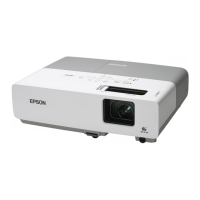
Epson EMP-822 - User Manual

Epson EMP-822
78 pages
Print Icon
To Next Page IconTo Next Page
Loading...
1
User's Guide

Table of Contents

Other manuals for Epson EMP-822

Questions and Answers

  • S
    Samantha HughesAug 30, 2025
    Why are images dark on my Epson Projector?
    • D
      Darren ChristianAug 30, 2025
      If images appear dark on your Epson Projector, try the following: * Adjust the 'Brightness' and 'Brightness Control' settings in the configuration menu. * Adjust the 'Contrast' setting in the configuration menu. * If the lamp is nearing the end of its life, replace it with a new one.
  • T
    Terrence TannerAug 28, 2025
    How to fix fuzzy or out of focus images on my Epson EMP-822?
    • B
      bowenAug 28, 2025
      To resolve fuzzy or out-of-focus images on your Epson Projector: * Adjust the focus by turning the focus ring. * Ensure the projector is set up within the recommended projection distance range. * Reduce the projection angle to lower the amount of keystone correction, as a large keystone adjustment can cause fuzziness.
  • C
    Cheryl TorresAug 27, 2025
    Why does my Epson EMP-822 show a High Temp Warning?
    • P
      Patrick OconnellAug 27, 2025
      If your Epson Projector is showing a High Temp Warning, check that the air filter and air exhaust vent are not blocked, and make sure the projector isn't placed directly against a wall. If the air filter is clogged, clean or replace it.
  • C
    Chad StephensAug 27, 2025
    Why won't my Epson Projector power on?
    • T
      Timothy WellsAug 27, 2025
      If your Epson Projector won't power on, try these steps: * Press the [Power] button to turn the power on. * Ensure the power cable is correctly connected and that the outlet is functioning. * Reinsert the power cable; if it still doesn't work, disconnect the projector and contact your local dealer. * If the operation lock is set to 'Full Lock', press and hold the [Enter] button on the control panel for about seven seconds to release the lock. * Check the 'Remote Receiver' setting in the configuration menu. * Press the [Power] button to turn the power back on.
  • M
    Melissa BrownAug 25, 2025
    How to fix the Epson EMP-822 Projector remote control when it's not working?
    • J
      John SanchezAug 26, 2025
      If your Epson Projector's remote control isn't working, try these steps: * Point the remote control directly at the remote receiver on the projector. * Ensure you are within the remote control's operating range (about 6 m). * Make sure direct sunlight or strong light isn't shining on the remote receiver. * Check the 'Remote Receiver' setting in the configuration menu. * Verify the batteries are correctly inserted and replace them if necessary. * If a remote button has been pressed for more than 30 seconds, release it to resume normal operation.
  • B
    Brian DavisAug 25, 2025
    Why is there no audio from my Epson Projector, or the audio is too low?
    • P
      Patricia JonesAug 25, 2025
      If you're experiencing low or no audio from your Epson Projector, consider the following: * Verify the audio source is correctly connected to the Audio port. * Adjust the volume to a suitable level. * Ensure A/V Mute is not active by pressing the [A/V Mute] button on the remote control. * Use an audio cable labelled 'No resistance'.

Epson EMP-822 Specifications

General IconGeneral
Resolution1024 x 768 (XGA)
Contrast Ratio400:1
Display Technology3LCD
Projection Size30 - 300 inches
Input PortsS-Video
Noise Level28 dB (eco)
Lamp Life2000 hours (Normal mode), 3000 hours (Eco mode)
Power Consumption280 W (Normal mode), 225 W (Eco mode)

Related product manuals