140
6. Lower the scanner and press the power button to turn the product back on. If the error persists,
check the other paper jam solution.
7. Carefully follow all paper loading instructions when you load new paper.
Parent topic: Solving Paper Problems
Related references
Paper Jam Problems in the Rear Cover
Paper Jam Problems in the Rear Cover
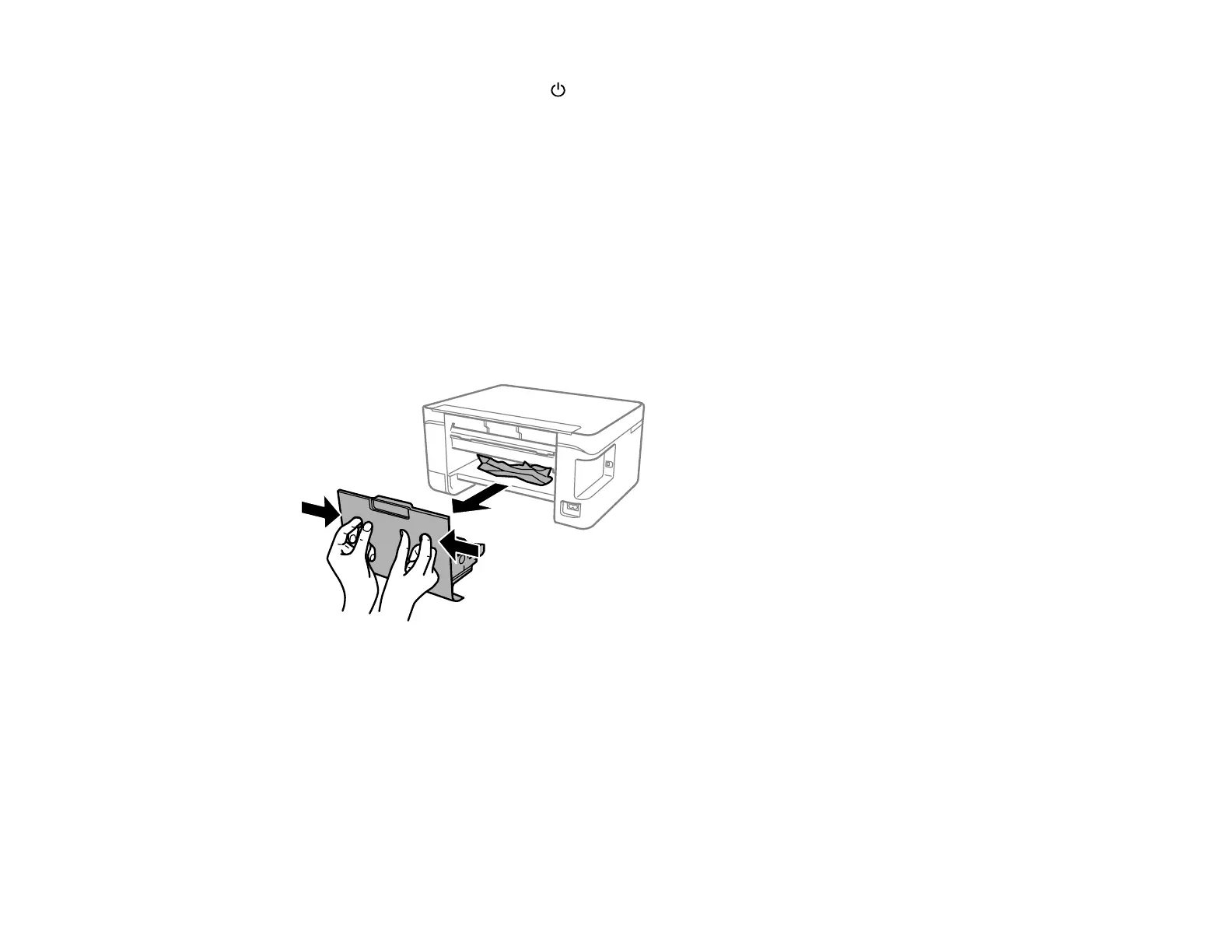
You can remove jammed paper by opening the rear cover of the product.
1. Cancel the print job, if necessary.
2. Press the buttons to release the rear cover and remove the cover from your product. Carefully remove
any jammed paper from inside the product.



 To Next Page
 Loading...









