CAMERARANGE
50cm
(19.6inches)
FocalPoint
FULL&HALFSHUTTERBUTTONPOSITONS
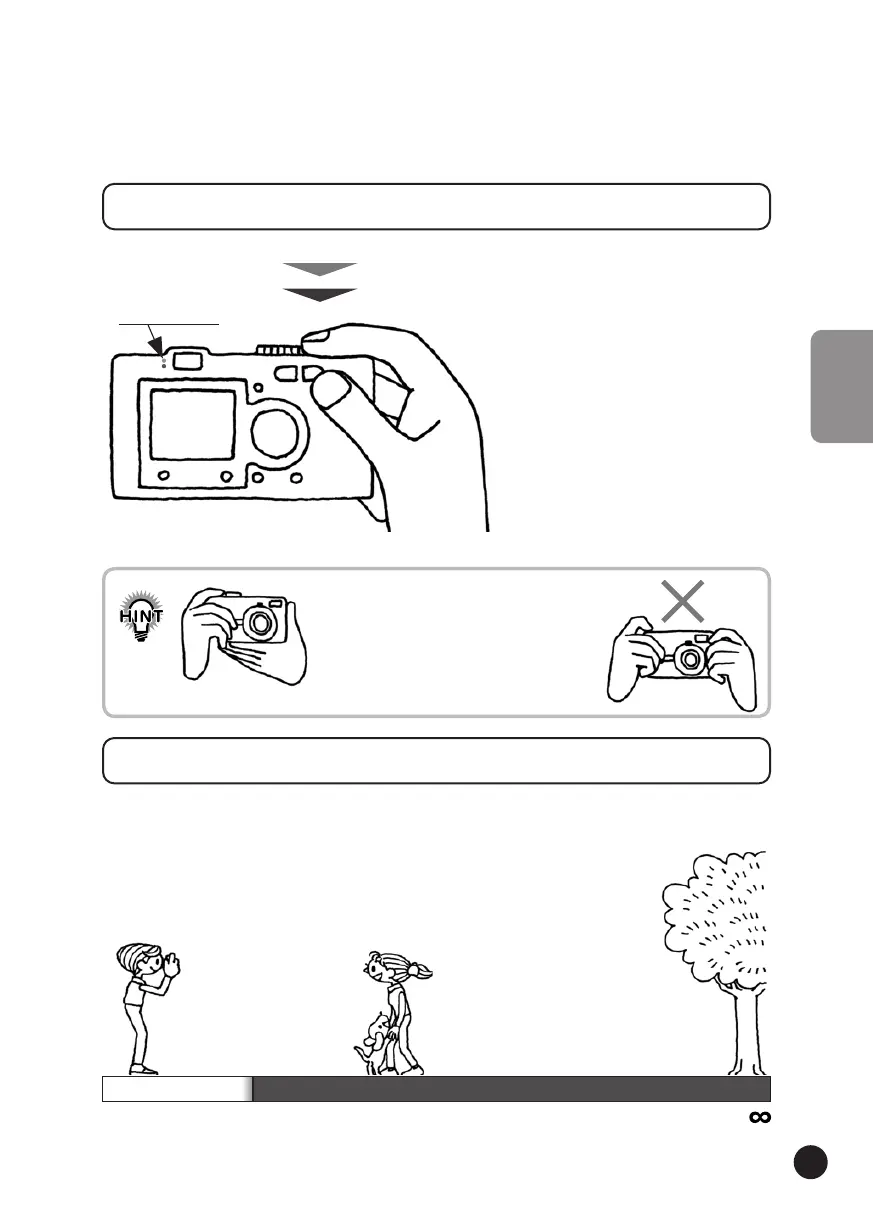
Theshutterbuttonhasatwo-step
function.Holdithalfwaydownto
activatetheflashinggreenIndicator
light.Thecameraisautomatically
settingfocusandshutterspeed.
Fullypressitcompletelytorelease
theshutter.
Full&HalfPositions
FullyPressed
ReleasestheShutter
Halfpressed
TurnsOntheLight
Indicatorlights
RemembertomakeanL-shapeplatformand
toavoidcoveringthelensorflashwithyour
fingers.Ifyouarchyourrightforefinger,you
maypresstheshutterbuttontoohard,jerking
thecameraastheshutterreleases.Also,it
isdifficulttomaintainahalf-presswhenthe
fingerisarched.
HOLDINGTHECAMERA/RELEASINGTHESHUTTER
Whentakingaphotograph,youwillwantyoursubjecttostandat
least50cm(19.6inches)away.
Whenyouwanttophotographsomethingthatiscloserthan50cm
usetheMACROmodeforbetterresults.(Seepage50.)



 To Next Page