P.I.F.FUNCTION
WhenusingtheP.I.F.mode,agreenlinewillappearontheLCDmonitor.Whentakingthe
photo,makesurethatthegreenlinecomestothetopoftheframe.
PRINTImageFramer
(P.I.F)
FUNCTION
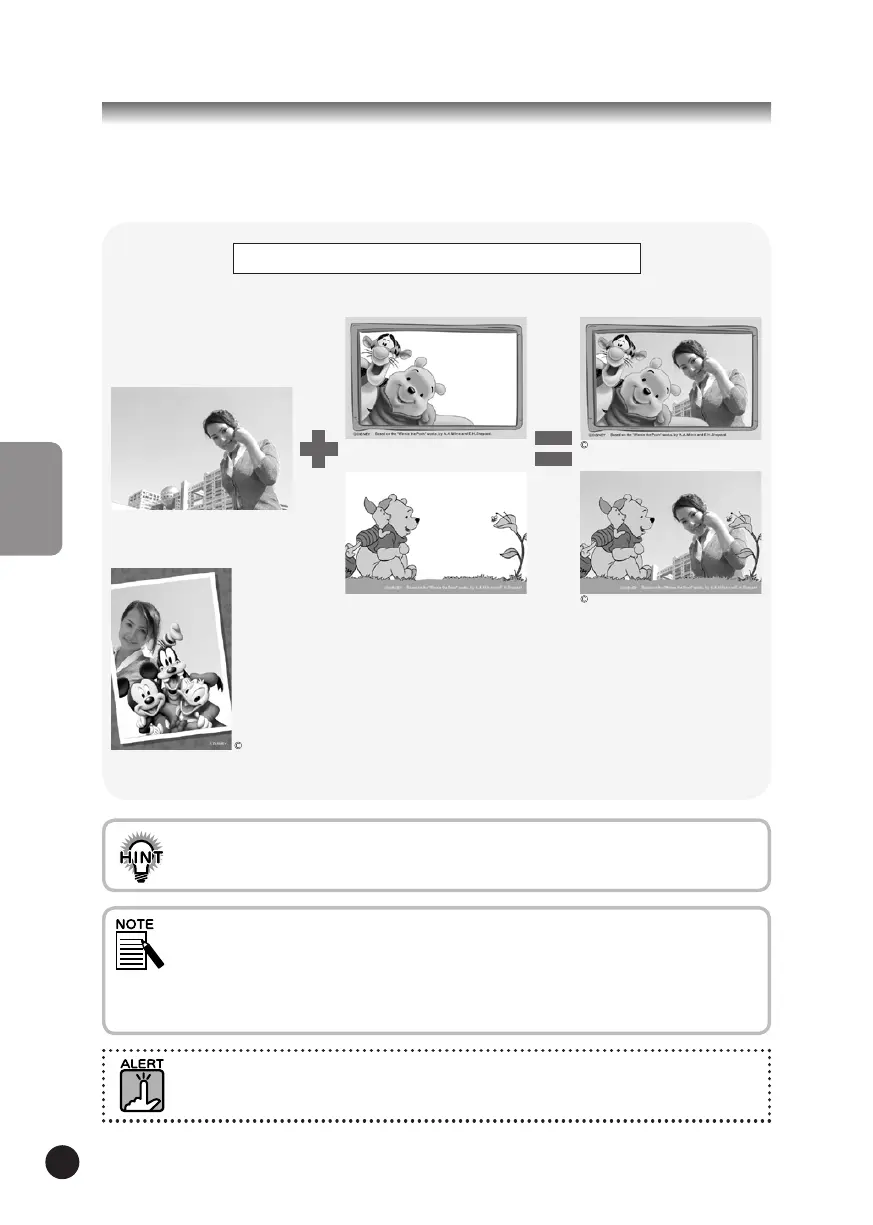
PRINTImageFramer(P.I.F.)willlinkaframetoyourpictureasitisrecorded.
YoucanthenusetheDIRECTPRINTINGprocesstoprintthecompositeframe.
Therearealsoverticalframes.
Theframeshownisjustone
example.
Frame
Takingaphoto
Youcanloadyourcamera
memorywithamaximof2
differentframesatatime.
Thecamerawillcomewith
1framealreadyloadedinits
memory.TheSDMemorycard
thatisincludedwillcomewith
10differentframes.Other
availableframescanbefound
ontheCD-ROMandonthe
EPSONwebsite.
Theframeisnotrecordedon
theoriginalimage,butlinked
toit.Theyarecombined
duringprinting.
P.I.F.ShootingandP.I.F.Printing
InP.I.F.mode,youwilluseframesthatyouhavepreviouslyloadedintothecamera.Selectone
andtakeaphoto.ThephotowillbeprintedinthisframeduringDIRECTPRINTING.Youcan
decidetochangetheframebeforeyouprint.
WhenyoucopyanimagethathasbeentakeninP.I.F.modetoacomputer,thelinkconnecting
theimageandtheP.I.F.framewillbelost.
FinishedP.I.F.CompositePicture
ImagestakeninP.I.F.modeandsetinDPOFformatandsavedonamemorycardwhenprinted
withtheStylusPhoto935willprintwiththefirstframethatisstoredintheprinter.
DISNEY
DISNEY
Basedonthe"WinniethePooh"works,byA.A.MilneandE.H.Shepard.
DISNEY
PRINTImageFramerILLUSTRATION
Basedonthe"WinniethePooh"works,byA.A.MilneandE.H.Shepard.



 To Next Page