HTTP://BBS.FIXCLUB.COM.CN
EPSON LQ-300+ Revision C
Disassembly and Assembly Disassembly and Assembly 65
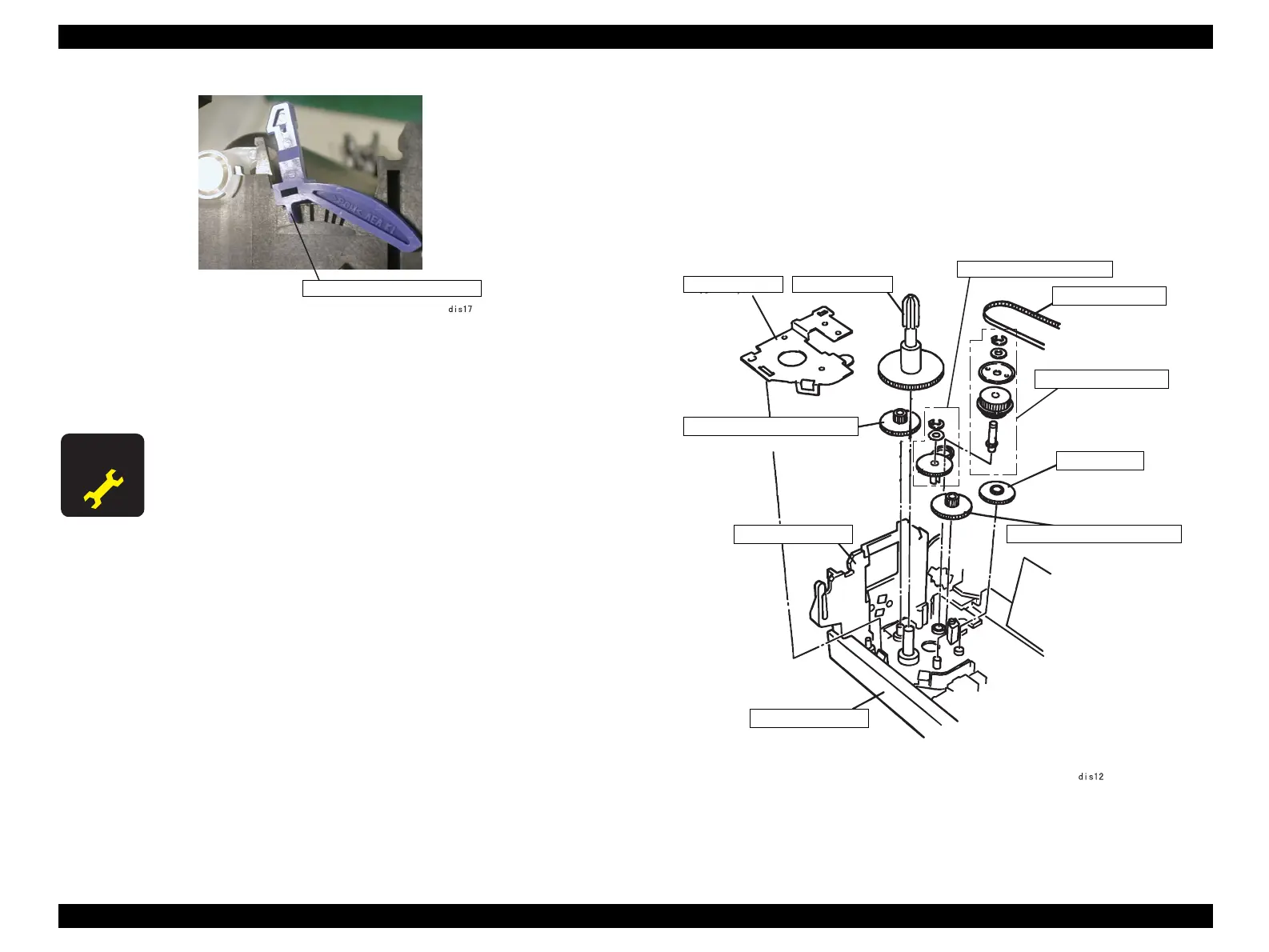
Figure 4-14. Hook at the PG Adjust Lever
7. Remove the carriage unit along with the CR guide shaft and PG adjust lever from
the printer mechanism.
4.2.7.4 Ribbon Feed Mechanism Removal
1. Remove the printer mechanism. (See 4.2.3 "Printer Mechanism Removal".)
2. Remove the tension spring, 8.10 from the motor bracket and release the tension of
the timing belt. (See 4.2.7.1 "CR Motor Assembly Removal".)
3. Release 3 hooks securing the RD cover to the left frame.
4. Remove the RD cover.
Figure 4-15. Ribbon Feed Mechanism Removal
A D J U S T M E N T
R E Q U I R E D
When the carriage unit is replaced, perform Bi-D adjustment.
PG Adjust Lever -- Hook
Left frame
Driven pulley assy.
RD ratchet
Gear, 13.2
Base frame
RD cover
Planetary lever assy.
Timing belt
Combination gear, 51, 16.2
Combination gear, 51, 16.2
Timing belt


 To Next Page