Using the Label Editor Software | 29
Creating labels using Windows
Once your LabelWorks printer is connected
to your computer, you can use the Label
Editor software to design your labels or
ribbons.
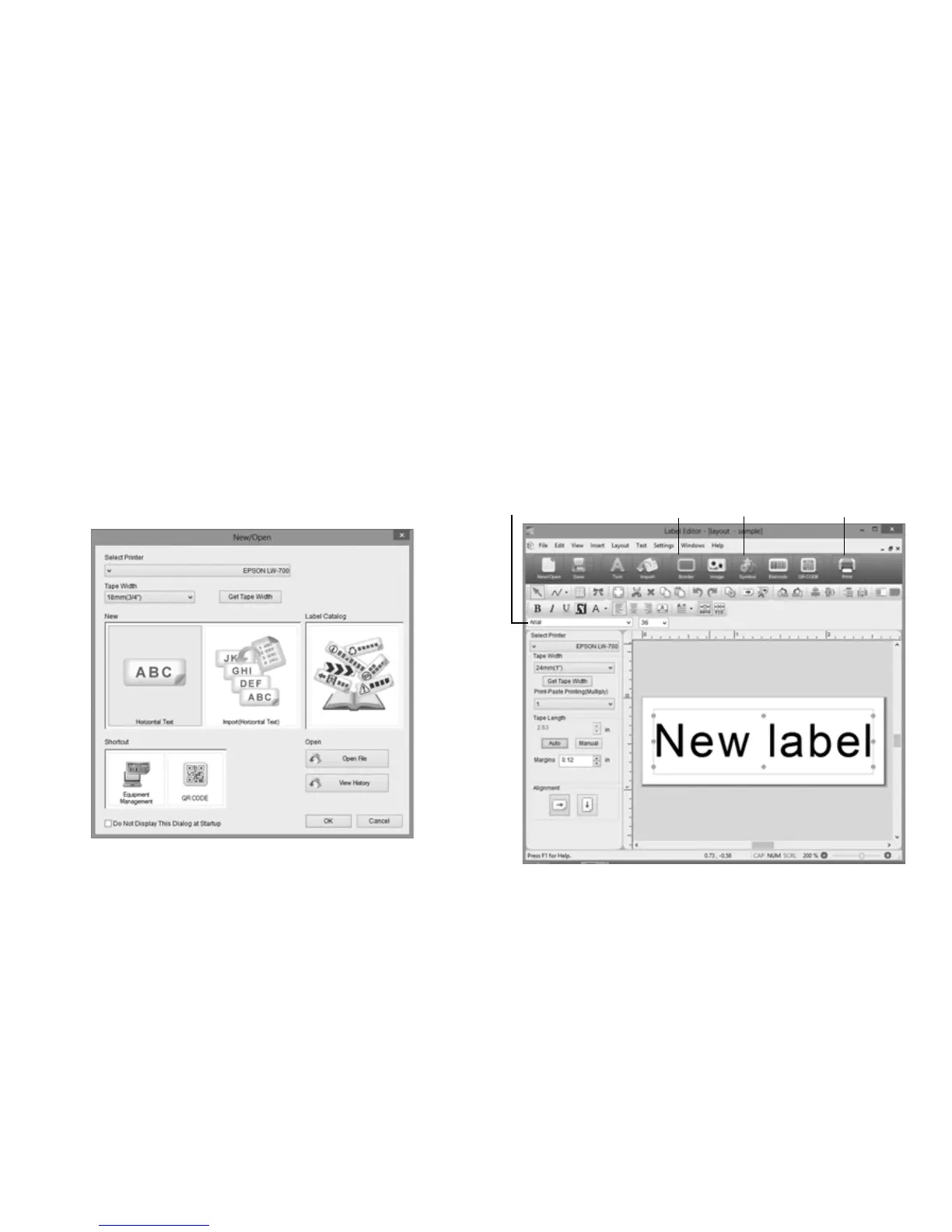
1. Double-click the Label Editor icon. You
see the New/Open screen:
2. Select Horizontal Text, then click OK.
You see a blank label on the main Label
Editor screen.
3. Enter text in the label, then click outside
the label. You see your text on the label,
for example:
Font name box
Border
icon
Symbol
icon
Print
icon








 To Next Page