Getting Started | 5
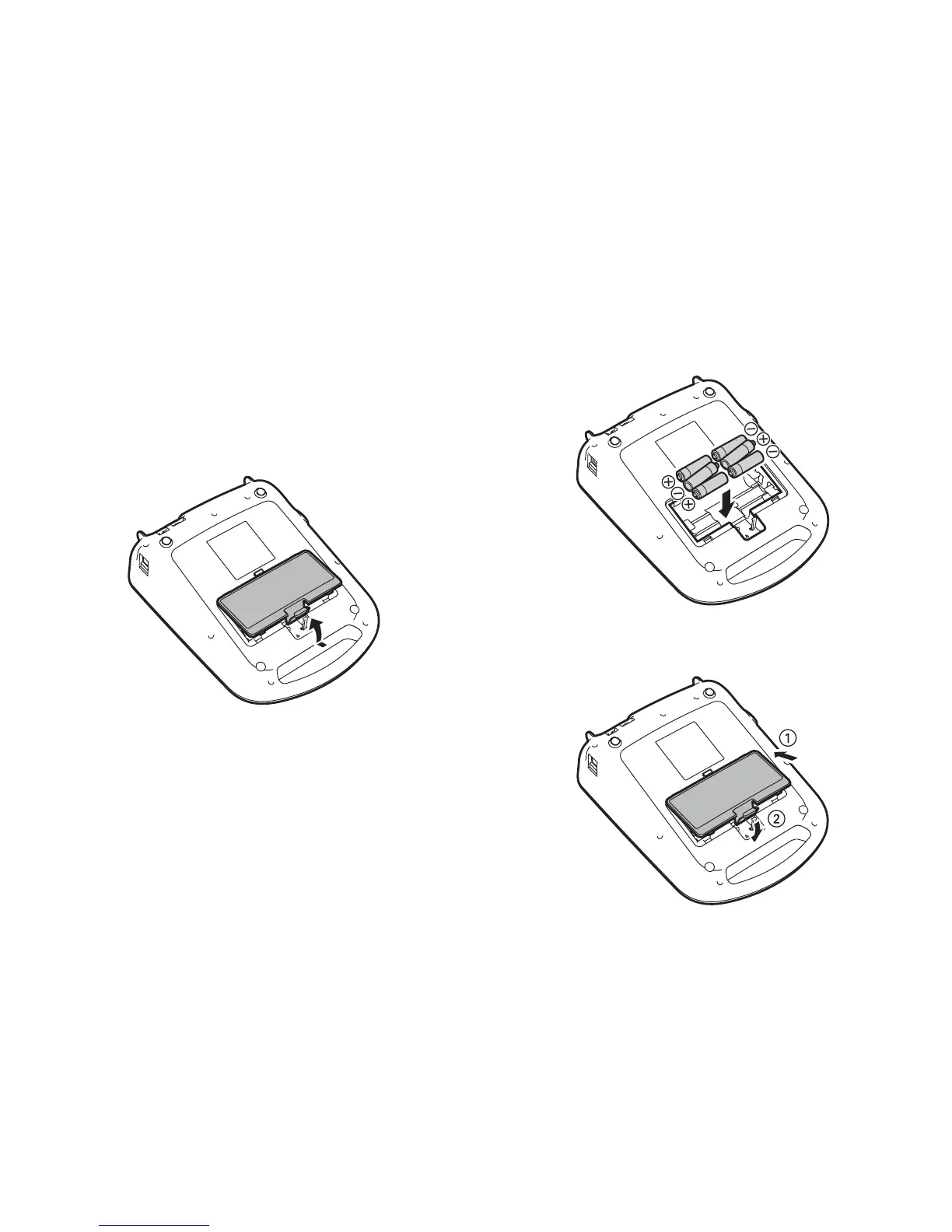
Installing batteries
You can use batteries instead of the AC
adapter when you are not near a power
source.
1. Press the tab and open the battery cover.
2. Insert 6 AA alkaline batteries, positioning
the + and - ends as shown.
3. Replace the battery cover.








 To Next Page