How to Check the Settings in Image Processing Software
In this section, the examples used in our explanation are when using Adobe Illustrator CC(2015) in Windows 7.
A
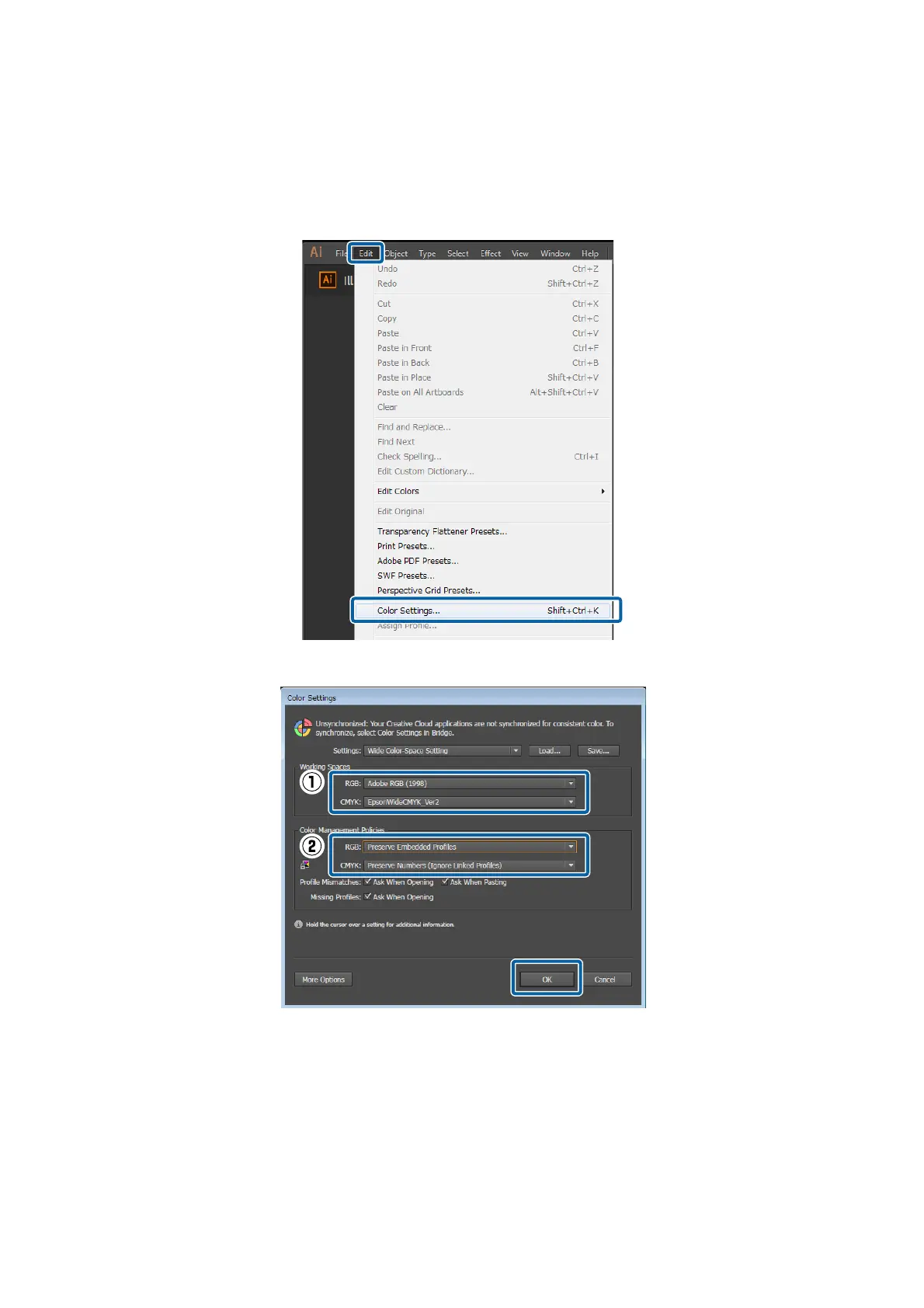
Start Adobe Illustrator. Click in the order of Edit - Color Settings.
B
Check the setting for both RGB and CMYK in (1) and (2), and then click OK.
How to Change the Input Color Settings of the RIP
For ONYX RIP
Use the following procedure to change the Profiles that you set when creating the quick set.
Epson Manual for RIP Printing (ONYX RIP)
Troubleshooting
40



 To Next Page