Troubleshooting
EMX Files Cannot Be Downloaded on the Dashboard
See the following if a message is displayed when you click Download and you cannot download EMX files.
A
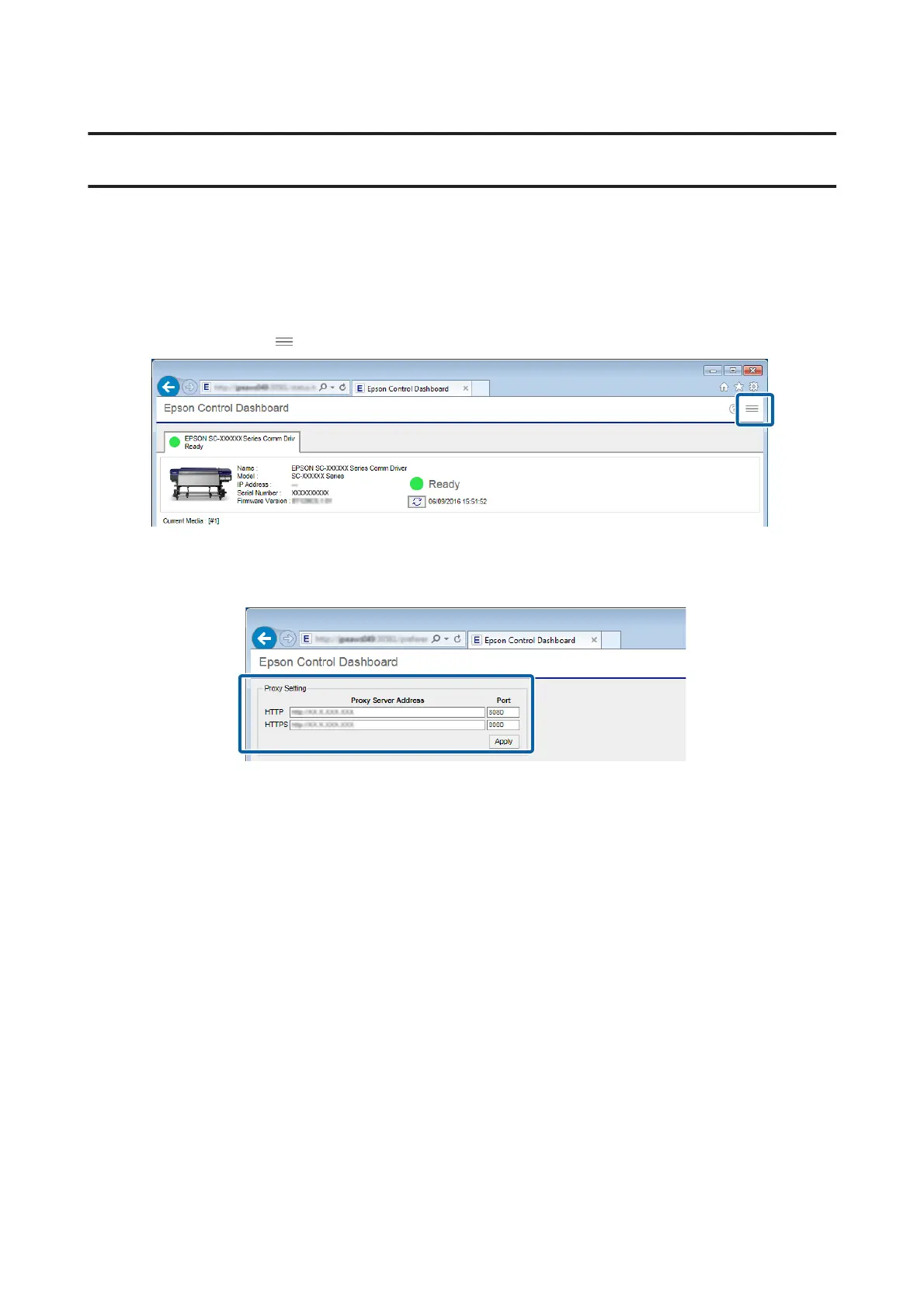
Select Preferences in (menu) on the Dashboard.
B
Check whether the Proxy Setting is correct.
Check with the network administrator for details on proxy settings.
If you have changed the settings, restart your computer.
Failed to Register the Media Setting Values/Failed to
Import Print Information
Check the following.
Were the media setting values from the EMX files on the Dashboard registered to the printer?
Print information is not automatically imported to the RIP just by downloading the EMX files on the Dashboard. If
you are importing print information to the RIP, first register the values of the media settings to the printer.
U “Registering the Media Setting Values to the Printer” on page 11
Did you write the values of the media settings to the printer while the RIP was running?
If you are registering values of the media settings to the printer, quit the RIP until completing the registration and
restart it again. Because RIP cannot automatically import print information without acquiring the information for the
media setting values of the printer, the operation will fail if Dashboard is offline.
Epson Manual for RIP Printing (ONYX RIP)
Troubleshooting
31



 To Next Page