EasyManua.ls Logo

Epson PowerLite 400W - User Manual

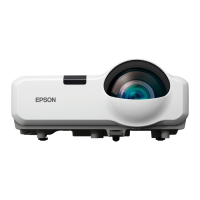
Epson PowerLite 400W
120 pages
Print Icon
To Next Page IconTo Next Page
Loading...
PowerLite
®
400W
Multimedia Projector
User’s Guide

Table of Contents

Other manuals for Epson PowerLite 400W

Questions and Answers

  • R
    Robert GallegosAug 10, 2025
    Why can't I monitor or control my Epson Software projector?
    • A
      Alex CarrollAug 10, 2025
      If Epson Software EasyMP Monitor cannot monitor or control the projector, first ensure the network cable is correctly connected; if not, reconnect it. Then, verify the settings in the Network configuration menu. Also, confirm that EasyMP Monitor is correctly installed on your computer by uninstalling and reinstalling it. Ensure all projectors are registered. Finally, the projector's Standby Mode should be set to Communication On (or Network On), or Network Monitoring should be set to On in the configuration menu to enable monitoring and control via EasyMP Monitor in standby mode.
  • J
    Jenna MendozaAug 16, 2025
    What to do if Epson Software doesn't send e-mail messages when a problem occurs?
    • A
      Angela BrooksAug 16, 2025
      If you are not receiving e-mail notifications from Epson Software when a problem occurs, check that the SMTP server IP address, Port Number, and Recipient mail address are correctly configured. Also, ensure the projector's Standby Mode is set to Communication On (or Network On) or Network Monitoring is set to On in the configuration menu. If the projector has momentarily stopped working due to a critical problem, it won't be able to send e-mails; in this case, and if the projector cannot be reset after checking, contact Epson. Finally, verify that the projector is receiving power and that the circuit breaker hasn't tripped.
  • M
    marymaynardAug 22, 2025
    Why can't I monitor my Epson Monitor when it's in standby mode?
    • P
      patelcrystalAug 22, 2025
      To monitor and control the Epson Monitor when it is in standby mode, the 'Network Monitoring' or 'Standby Mode' configuration menu must be set to 'ON' or 'Network ON'.
  • L
    Lori WalkerAug 28, 2025
    What to do if I don't receive email notifications for my Epson Monitor?
    • T
      Tracy HornAug 28, 2025
      If you are not receiving email notifications when a problem occurs with your Epson Monitor, ensure that the 'Network Monitoring' or 'Standby Mode' configuration menu is set to 'ON' or 'Network ON'. This setting enables the mail notification function while the projector is in standby mode.
  • C
    carpenteremilySep 2, 2025
    Why is my Epson Monitor not sending email messages?
    • J
      Justin BurnsSep 2, 2025
      If your Epson Monitor cannot send e-mail messages, it might be due to a critical problem causing the projector to momentarily stop working. If the projector cannot be reset even after it has been checked, contact Epson.

Epson PowerLite 400W Specifications

General IconGeneral
ResolutionWXGA (1280 x 800)
Display Technology3LCD
ConnectivityHDMI, VGA, USB, RS-232
Noise Level28 dB (Eco)
Lamp Life4000 hours (Normal), 6000 hours (Eco)
Dimensions (W x D x H)12.4 x 9.8 x 3.9 inches (315 x 249 x 99 mm)

Related product manuals