EasyManua.ls Logo

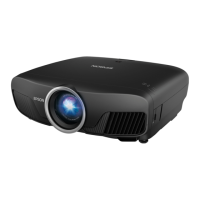
Epson PowerLite 4100 - User Manual

Epson PowerLite 4100
459 pages
Print Icon
To Next Page IconTo Next Page
Loading...
4100
PRINTER
OPERATOR'S GUIDE
Part No: 066-00428-02
February 12, 1998 — Rev. F

Table of Contents

Other manuals for Epson PowerLite 4100

Questions and Answers

  • K
    Kristen HenrySep 23, 2025
    What does it mean when my Epson Printer displays NONVOLATILE RAM CHECKSUM - - Setting Default Parameters***?
    • T
      Troy MedinaSep 23, 2025
      If your Epson printer displays 'NONVOLATILE RAM CHECKSUM - - Setting Default Parameters***,' it means that the new checksum does not match the previous checksum. Press ON LINE.
  • W
    wtorresAug 23, 2025
    Why does my Epson Printer paper not feed when printing?
    • J
      Jennifer MorenoAug 23, 2025
      If the paper does not feed when printing with your Epson printer, it means that the host is not sending line feeds with carriage returns. In configuration mode, under "Set Forms Options" set "LF on CR" to "On".
  • S
    Sheila HillAug 25, 2025
    How to fix Epson Software when projectors cannot be monitored or controlled?
    • V
      Vincent FoxAug 26, 2025
      If Epson projectors cannot be monitored or controlled, first, ensure the network cable is correctly connected; reconnect if necessary. Check the Network configuration settings. Next, uninstall and reinstall EasyMP Monitor. Then, register the projectors you intend to control or monitor. Finally, verify that the projector's Standby Mode is set to Communication On (or Network On) or Network Monitoring is set to On in the configuration menu. When the projector is in standby mode, the projector's Standby Mode must be set to Communication On (or Network On) or Network Monitoring must be set to On in the configuration menu in order to use EasyMP Monitor to monitor and control the projector.
  • N
    Nancy HillAug 27, 2025
    What to do if my Epson Printer is smudging?
    • D
      dudleyjamesAug 27, 2025
      If your Epson printer is smudging, consider the following: 1. The printheads may be too close to the paper. Re-adjust the printhead gap. 2. The ribbon and/or ribbon guides may be worn. Examine and replace the ribbon cartridge if necessary.
  • K
    Kevin WilsonAug 27, 2025
    Why is my Epson Printer printing characters too light?
    • G
      gibsonryanAug 28, 2025
      If the characters printed by your Epson printer are too light, it could be due to: 1. The printhead gap being too wide. Adjust the printhead gap. 2. A worn-out ribbon. Replace the ribbon.
  • P
    pwestSep 18, 2025
    What does it mean when my Epson Printer displays ROM ERROR?
    • K
      Kyle WilliamsSep 18, 2025
      If your Epson printer displays 'ROM ERROR' it indicates a bad checksum. Press ON LINE.
  • K
    kathleen40Sep 15, 2025
    What does it mean when my Epson Printer is missing the bottom half of characters?
    • L
      Lori GainesSep 15, 2025
      If the bottom half of characters are missing on your Epson printer, it indicates that the forms compressor is not on alignment tabs. Check that the forms compressor is properly positioned over the right and left alignment tabs.
  • L
    Linda JenkinsSep 16, 2025
    What does it mean when my Epson Printer makes 5 Long Beeps (LLLLL)?
    • D
      Daniel SchroederSep 16, 2025
      If your Epson printer emits 5 long beeps, it indicates a nonrecoverable error. Press ON LINE to solicit specific beep patterns, if any. Record beep pattern and cycle the printer off and on to reset.
  • V
    vanessa16Sep 6, 2025
    What to do if the Epson Printer's PAPER light is lit even with paper installed?
    • R
      Robert MurraySep 6, 2025
      If the PAPER light is lit on your Epson printer even with paper installed, it may be due to: 1. The left tractor being too far to the right. Move the left tractor to the far left so that the paper covers the paper out sensor.
  • H
    herrerapattySep 4, 2025
    What to do if my Epson Printer has no printout?
    • R
      Richard HansenSep 4, 2025
      If your Epson printer is producing no printout, consider the following: * Ensure that a ribbon cartridge is installed correctly. Re-install the ribbon cartridge if necessary. * Check the ribbon to make sure it is not twisted.

Epson PowerLite 4100 Specifications

General IconGeneral
BrandEpson
ModelPowerLite 4100
CategoryProjector
LanguageEnglish

Related product manuals