113
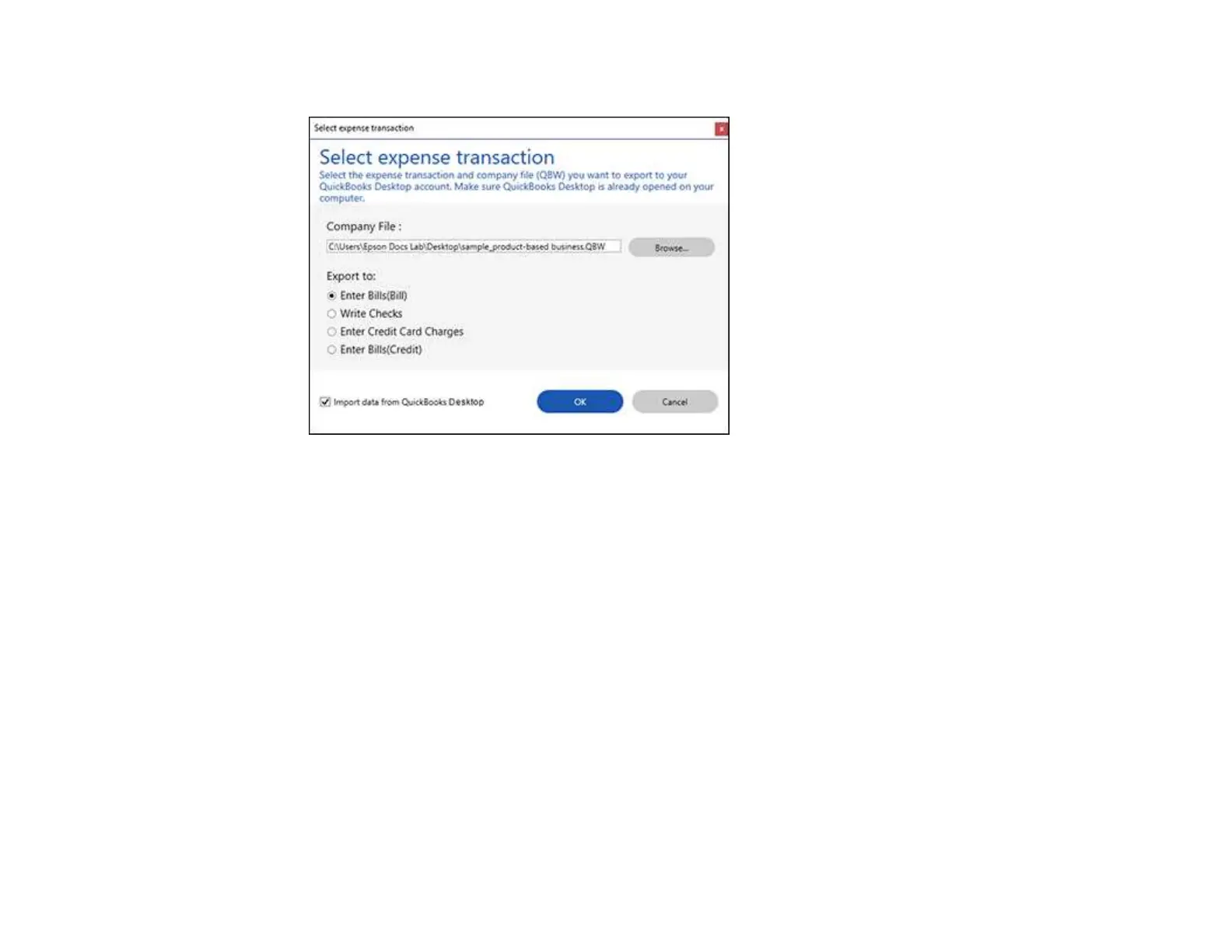
You see a screen like this:
3. Click Browse and select the QBW company file that you want to export the data to.
Note: The QBW company file must already be created.
4. Select the expense transaction you want to export the data to and click OK.
Note: If you want to import data such as vendors or payment methods from QuickBooks Desktop
into Invoice/Receipt Manager, select the checkbox.
The invoice or receipt data is exported to QuickBooks Desktop.
Parent topic: Scanning Receipts and Using Receipt Manager
Saving or Exporting Receipts to Quicken
You can save receipt data as a QIF file or export it for use in Quicken.
Note: Invoice data cannot be saved or exported in Quicken.
1. Make sure your receipts are scanned and reviewed. See the link below.


 To Next Page