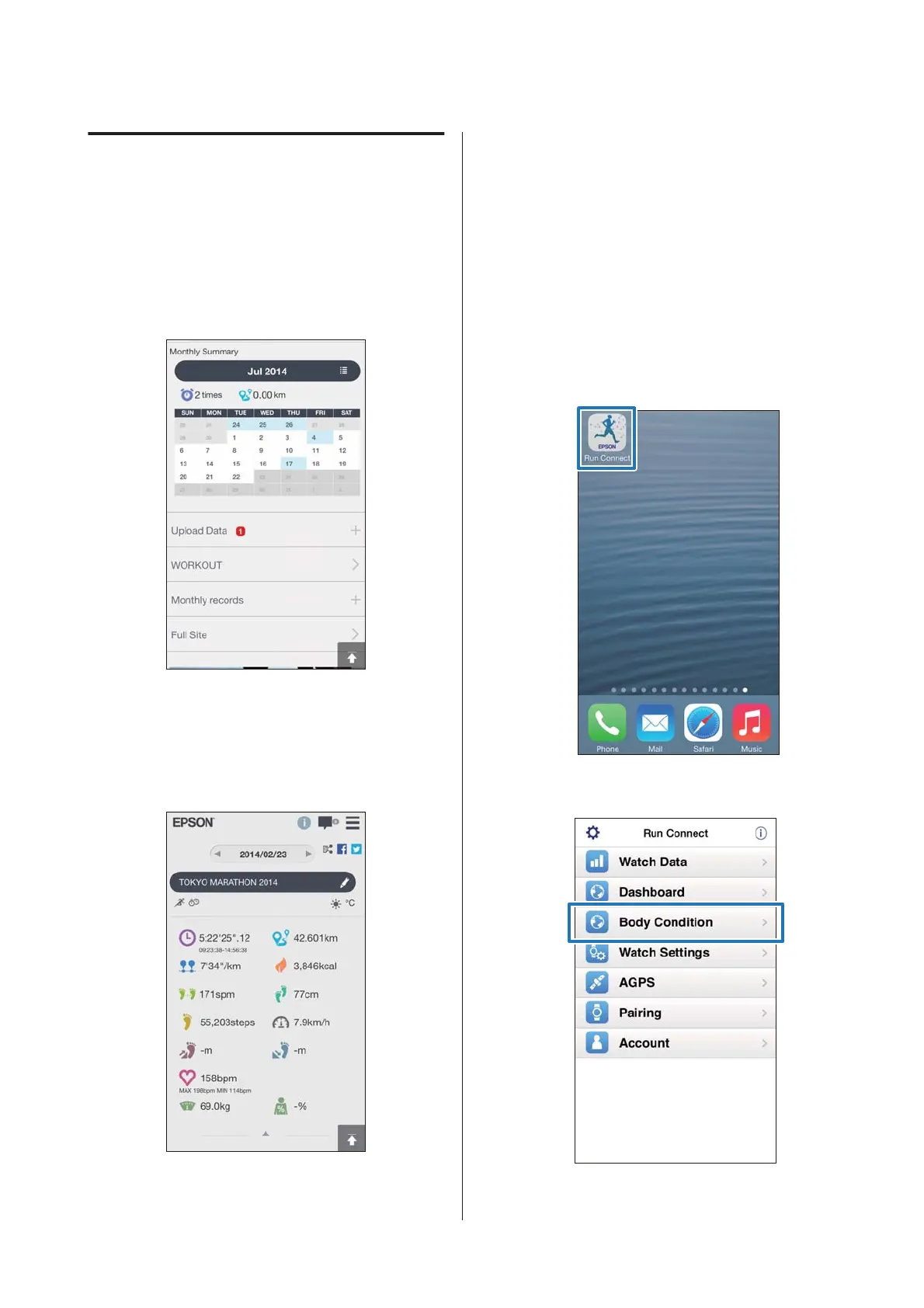
About Web Application
(RUNSENSE View)
You can view the data in the following ways with the web
application (RUNSENSE View) on the iPhone.
Dashboard
Manage records in calendar format. This allows you to
easily review past runs.
Workout
This displays data such as the distance, pace, HR (when
the Heart Rate Monitor: ON)*;, running route, and
calories. This allows you to analyse training from
different angles.
* Optional heart rate monitor required for SF-310,
SF-510 and SF810.
Map
Review your run route on the map.
Entering Weight and Body
Fat
You can register your weight and body fat data to the
web application(RUNSENSE View.)
A
Start Run Connect on your iPhone.
B
Tap Body Condition.
SF-310/510/710 Smartphone User's Guide
Uploading and Checking Measurement Data
18



 To Next Page