I
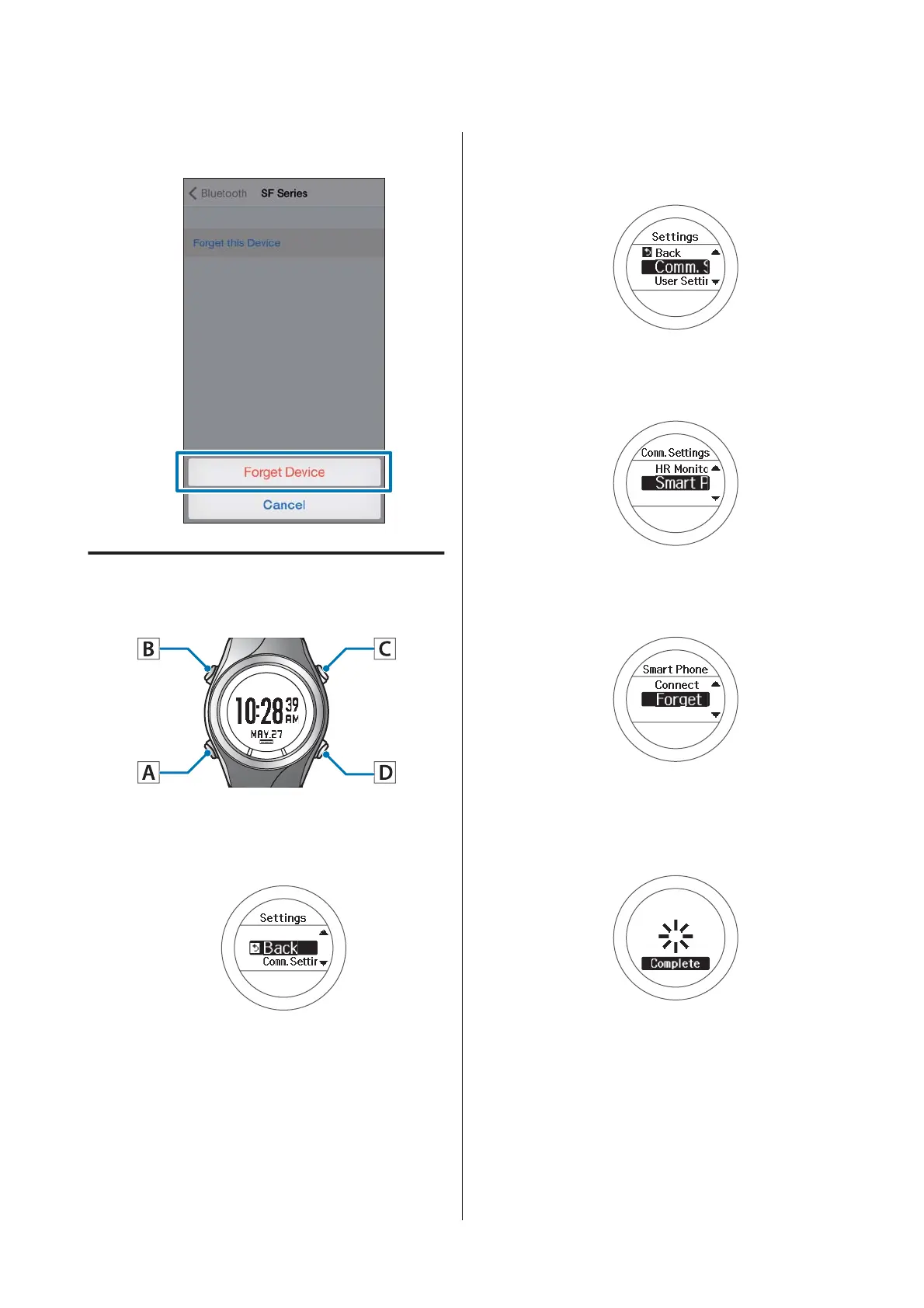
Tap Forget Device.
Operations on the Product
Operation buttons
A
Displays the Settings menu.
Hold down B on the time screen.
B
Select Comm. Settings.
Use C/D to select, and then press A.
C
Select Smart Phone.
Use C/D to select, and then press A.
D
Select Forget Device.
Use C/D to select, and then press A.
E
Complete the communication
settings.
Press A.
F
Complete the settings.
Hold down A.
Displays the time screen.
SF-310/510/710 Smartphone User's Guide
Troubleshooting
50



 To Next Page