EasyManua.ls Logo

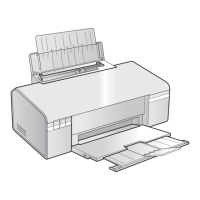
Epson Stylus OFFICE B30 - User Manual

Epson Stylus OFFICE B30
114 pages
Print Icon
To Next Page IconTo Next Page
Loading...
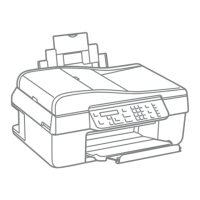
EPSON Stylus C110/C120/D120
WorkForce 30
Stylus OFFICE B30/T30/T33
ME OFFICE 70
Color Inkjet Printer
SEIJ07-001
SERVICE MANUAL
Confidential

Table of Contents

Questions and Answers

  • H
    Henry BriggsAug 10, 2025
    What to do if my Epson Stylus OFFICE B30 Printer fails to feed paper but performs a paper ejection?
    • J
      Jeffrey ReyesAug 11, 2025
      If your Epson Printer attempts to eject paper but fails to feed it, try these steps: * First, ensure the PE Sensor Connector Cable is securely connected to CN3 on the Main Board. * If the issue continues, replace the ASF Unit with a new one. You may need to try this more than once.
  • P
    Patricia PierceAug 15, 2025
    What to do if I get a communication error STM3 on my Epson Stylus OFFICE B30?
    • P
      Phillip TannerAug 15, 2025
      If you're seeing a communication error indicated by STM3 on your Epson Printer, try these steps: * First, ensure the USB cable is securely connected to both the printer and your PC. * Next, connect the Panel FFC to CN11 on the Main Board. * Additionally, use the Adjustment Program to write the correct value to the EEPROM address.
  • C
    Courtney DavidsonAug 20, 2025
    What to do if the Carriage Unit collides with the Change Lever on my Epson Stylus OFFICE B30 Printer?
    • T
      Tanya SharpAug 20, 2025
      If, when turning on your Epson Printer, the Carriage Unit collides with the Change Lever, consider the following actions: 1. Check that the PF Motor Connector Cable is connected to CN9 on the Main Board. 2. If the problem persists, replace the PF Motor with a new one. Check if the PF Motor operates. 3. If the issue still occurs, replace the ASF Unit with a new one.
  • T
    Tammy WrightAug 26, 2025
    Why are the eject rollers rotating at high speed on my Epson Printer when I turn it on?
    • H
      Heather AndrewsAug 26, 2025
      If the eject rollers on your Epson Printer are rotating at high speed when you turn it on, it may be necessary to: * Replace the PF Scale with a new one. * Replace the PF Encoder Sensor with a new one.
  • E
    Eugene FloydAug 30, 2025
    What to do if the PF Motor does not operate at all on my Epson Stylus OFFICE B30?
    • R
      ronaldberryAug 31, 2025
      If the PF Motor on your Epson Printer isn't operating when you turn it on, try these steps: 1. Ensure the PF Motor Connector Cable is connected to CN9 on the Main Board. 2. If it still doesn't work, replace the PF Motor with a new one. Check if the PF Motor operates. You may need to try this more than once.
  • D
    Danielle ReedSep 4, 2025
    What to do if the CR Motor does not operate at all on my Epson Stylus OFFICE B30 Printer?
    • A
      Adam ArmstrongSep 4, 2025
      If the CR Motor on your Epson Printer isn't operating when you turn it on, try these steps: 1. Connect the CR Motor Connector Cable to CN8 on the Main Board. 2. If it still doesn't work, replace the CR Motor with a new one. Check if the CR Motor operates. You may need to try this more than once.

Epson Stylus OFFICE B30 Specifications

General IconGeneral
Printer TypeInkjet
Print Resolution5760 x 1440 dpi
ConnectivityUSB 2.0
Maximum Print SizeA4
Number of Paper Trays1
Paper SizesA4, A5, A6, B5, Letter, Legal
Ink Cartridges4 (Cyan, Magenta, Yellow, Black)

Related product manuals