31
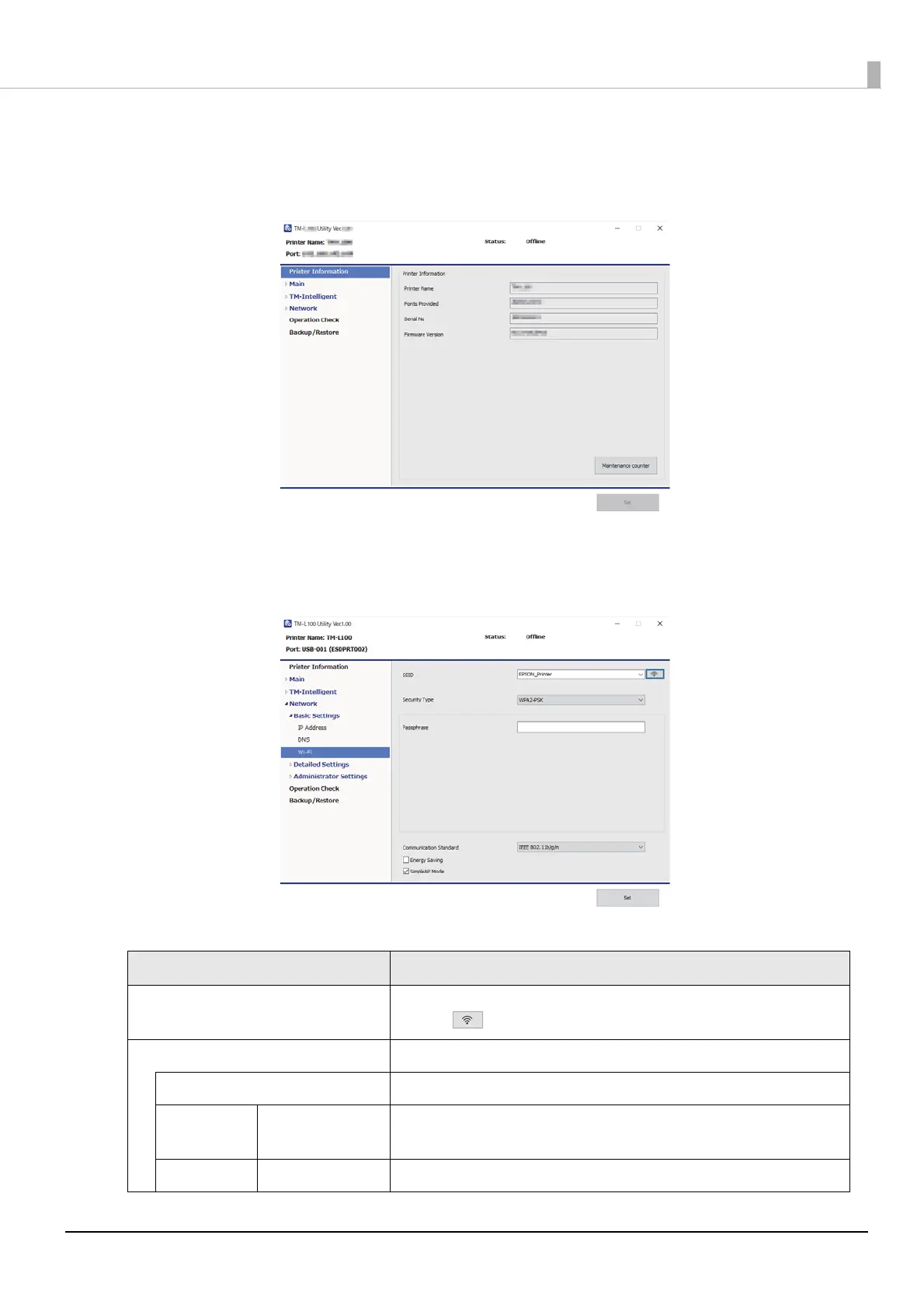
Wi-Fi Setup Procedure Using TM-L100 Utility
1
Start TM-L100 Utility.
2
Click the [Network] - [Basic Settings] - [Wi-Fi].
3
Sets the Wi-Fi.
Setting items are following.
Item Description
SSID Specify the SSID.
Click the button to acquire a valid SSID.
Security Type Select the security type. Enter the security key for the selected security type.
None No security key is set.
WPA-PSK
(AES)
Passphrase Enter a pass phrase.
WPA2-PSK Passphrase Enter a pass phrase.


 To Next Page
 Loading...