7
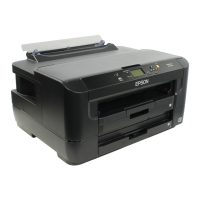
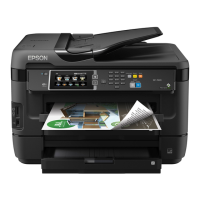
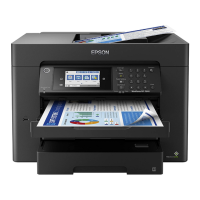
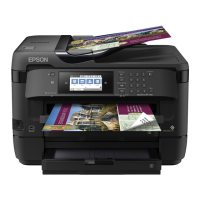
Epson WF-7620 / WF-7610 / WF-7110 Series Revision B
Confidential
Contents
Chapter 1 Troubleshooting
1.1 Troubleshooting....................................................................................................................................................... 10
1.1.1 Troubleshooting Workflow ............................................................................................................................ 10
1.2 Power-On Sequence ................................................................................................................................................ 13
1.3 Fatal Error Code List............................................................................................................................................... 15
1.4 Status sheet.............................................................................................................................................................. 20
1.4.1 Start method of Inspection Mode ................................................................................................................... 20
1.4.2 Description of Status sheet (Non-disclosed information to user)................................................................... 21
Chapter 2 Disassembly/Reassembly
2.1 Overview ................................................................................................................................................................. 24
2.1.1 Tools............................................................................................................................................................... 24
2.1.2 Jigs.................................................................................................................................................................. 24
2.1.3 Standard Operation Time for servicing the product ....................................................................................... 25
2.2 Disassembly/Reassembly Procedures ..................................................................................................................... 28
2.2.1 Functional differences between models and component parts....................................................................... 28
2.2.2 Functional differences between models and component parts....................................................................... 30
2.2.3 Disassembly Flowchart................................................................................................................................... 31
2.2.3.1 Housing Part (WF-7620/WF-7610 Series) ............................................................................................ 32
2.2.3.2 Housing Part (WF-7110 Series)............................................................................................................. 33
2.2.3.3 Printer Mechanism Part ......................................................................................................................... 34
2.3 Detailed Disassembly/Reassembly Procedure for each Part/Unit........................................................................... 38
2.4 Routing FFCs/cables ............................................................................................................................................... 47
Chapter 3 Adjustment
3.1 Required Adjustments............................................................................................................................................. 53
3.2 Details of Adjustments............................................................................................................................................ 61
3.2.1 PF/CR Timing Belt Tension Measurement.................................................................................................... 61
3.2.1.1 PF Timing Belt Tension Measurement.................................................................................................. 62
3.2.1.2 CR Timing Belt Tension Check............................................................................................................. 63
3.2.2 PG Adjustment ............................................................................................................................................... 64
3.2.2.1 PG Adjustment procedure...................................................................................................................... 64
3.2.2.2 Preparation............................................................................................................................................. 65
3.2.2.3 PG adjustment procedure....................................................................................................................... 68
3.2.2.4 Checking the Platen Gap........................................................................................................................ 70
3.2.3 Touch Panel Adjustment (WF-7620/7610 Series only) ................................................................................. 71
Chapter 4 Maintenance
4.1 Cleaning................................................................................................................................................................... 76
4.1.1 Cleaning the CR Unit ..................................................................................................................................... 76
4.1.2 Cleaning the Exterior Parts/inside of the printer ............................................................................................ 77
4.2 Lubrication .............................................................................................................................................................. 78
4.3 Lubrication Points and Instructions......................................................................................................................... 79
4.4 Firmware Update..................................................................................................................................................... 82
Chapter 5 Appendix
5.1 Connector Diagram ................................................................................................................................................. 85


 To Next Page
 Loading...