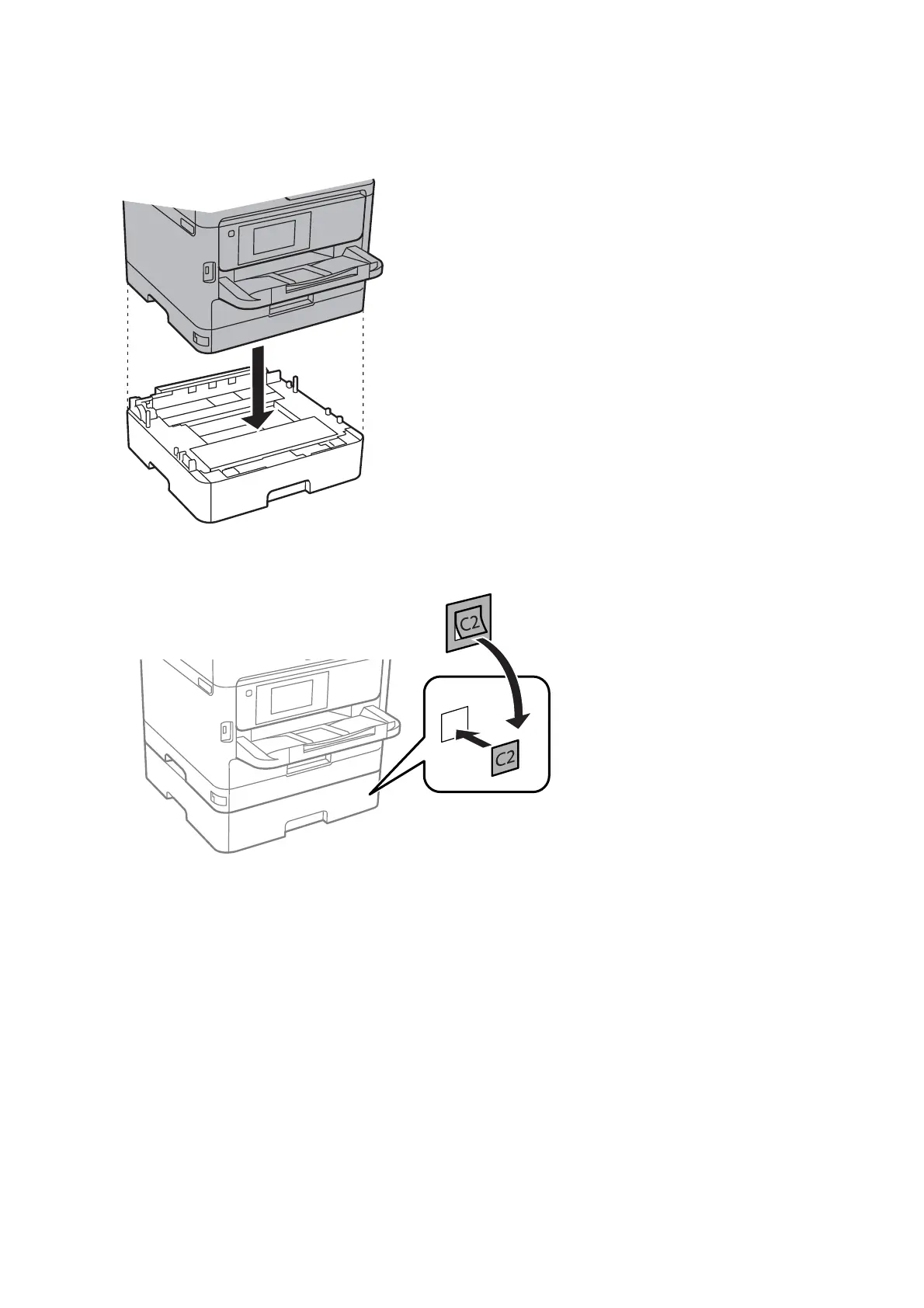
5. Lower the printer onto the optional paper cassette unit.
6. Place the sticker indicating the cassette number.
7. Reconnect the power cord and any other cables, and then plug in the printer.
8.
Turn on the printer by pressing the
P
button.
9.
Pull out and reinsert the optional paper cassette unit to check that the optional paper cassette unit is displayed
on the Paper Setting screen.
Note:
When uninstalling the optional paper cassette unit, turn o the printer, unplug the power cord, disconnect any cables,
and then perform the installation procedure in reverse.
Proceed with the printer driver settings.
Related Information
& “Optional Paper Cassette Unit Code” on page 113
User's Guide
Appendix
114














 To Next Page