G
Enters a space.
H
Enters character.
I
Deletes a character to the left.
Viewing Animations
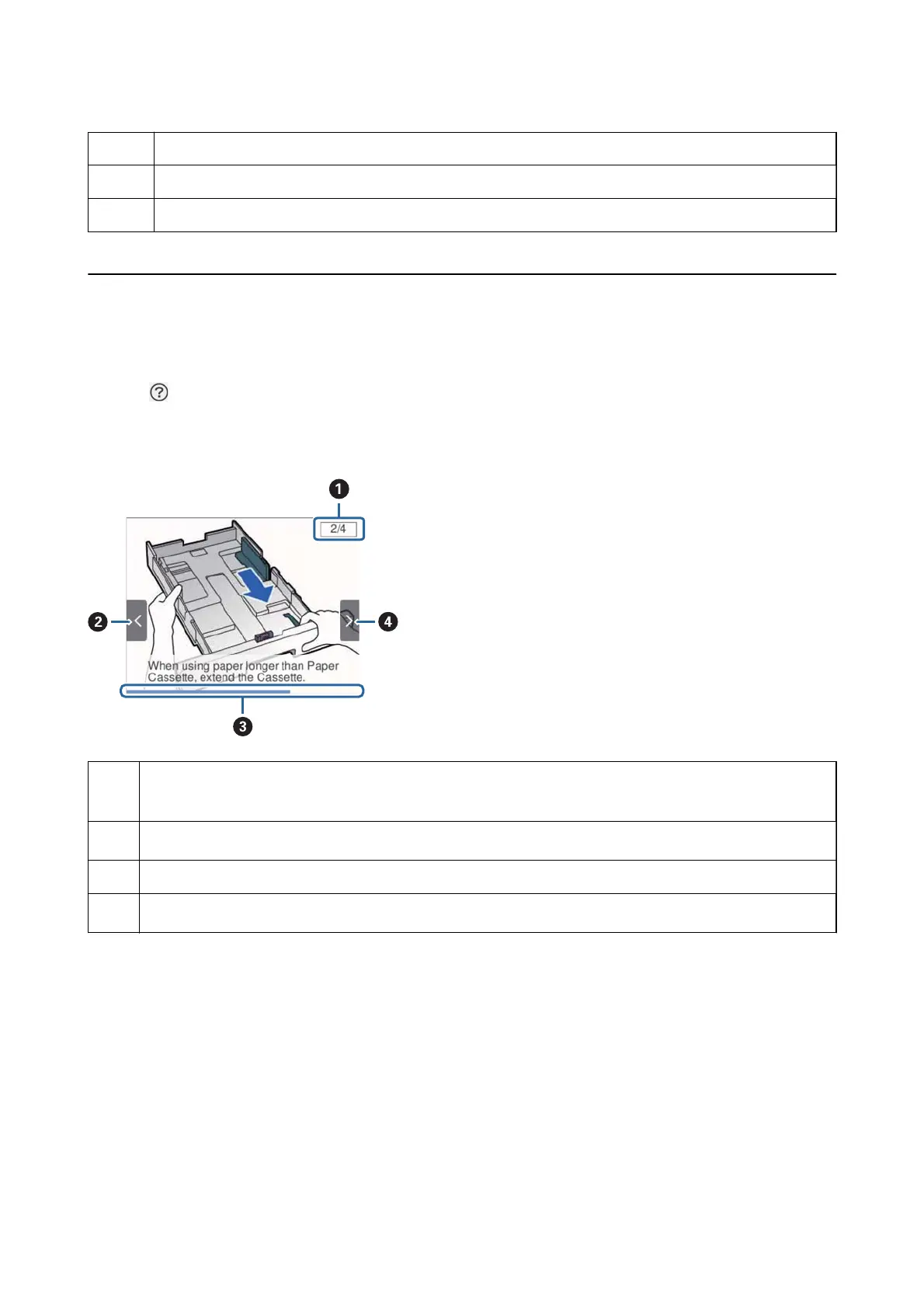
You can view animations of operating instructions such as loading paper or removing jammed paper on the LCD
screen.
❏ Select
on the home screen: Displays the help screen. Select How To and then select the items that you want
to view.
❏ Select How To at the bottom of the operation screen: Displays the context-sensitive animation.
A
Indicates the total number of steps and the current step number.
In the example above, it shows step 2 from 4 steps.
B
Press
l
button to return to the previous step.
C
Indicates your progress through the current step. The animation repeats when the progress bar reaches the end.
D
Press
r
button to move to the next step.
User's Guide
Printer Basics
20














 To Next Page