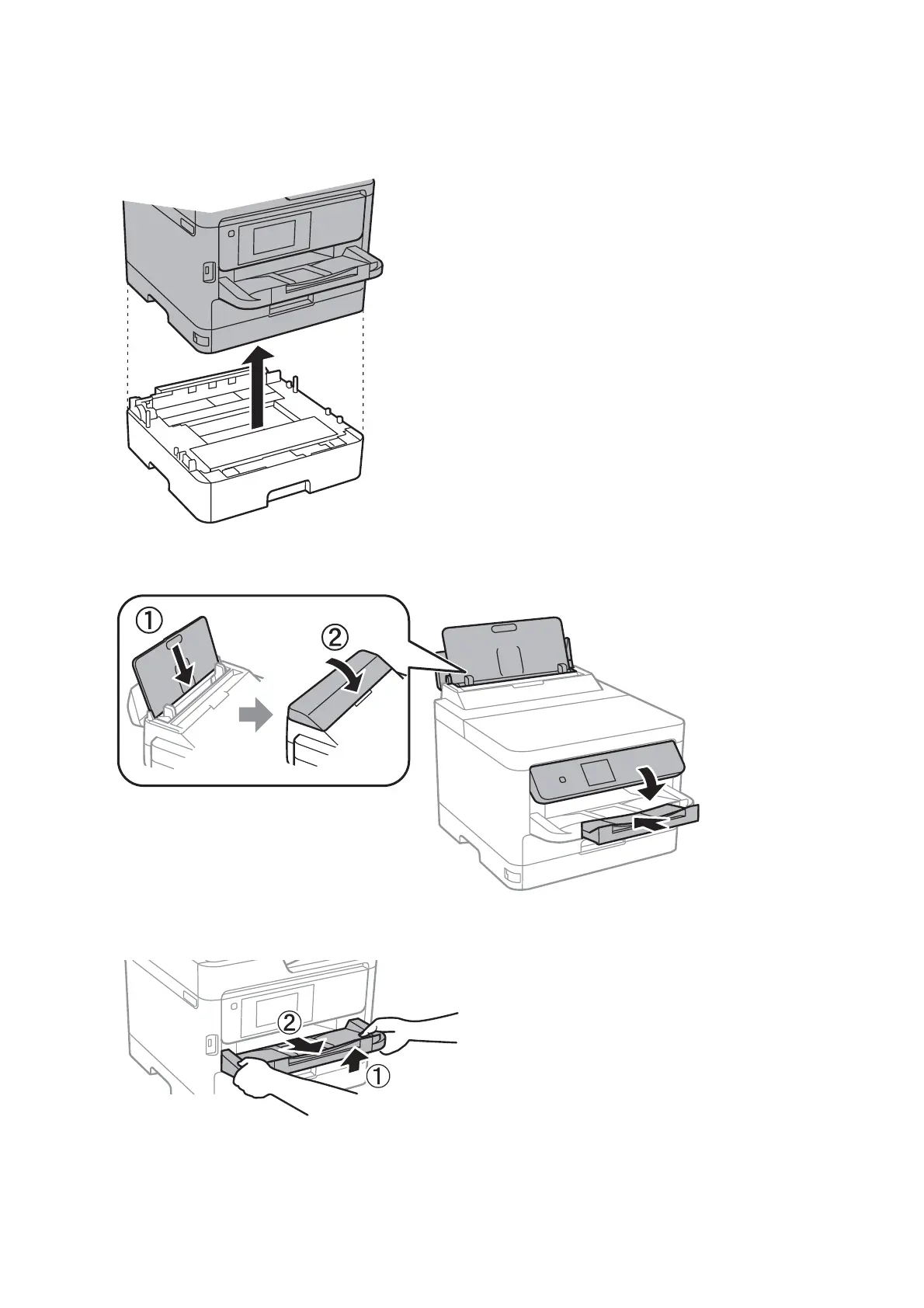
8. Uninstall the optional paper cassette if it is installed.
9. Prepare to pack the printer as shown below.
10. Remove the output tray from the printer.
11. Pack the printer in its box, using the protective materials.
When you use the printer again, make sure you remove the tape securing the print head. If print quality has
declined the next time you print, clean and align the print head.
User's Guide
Appendix
120














 To Next Page