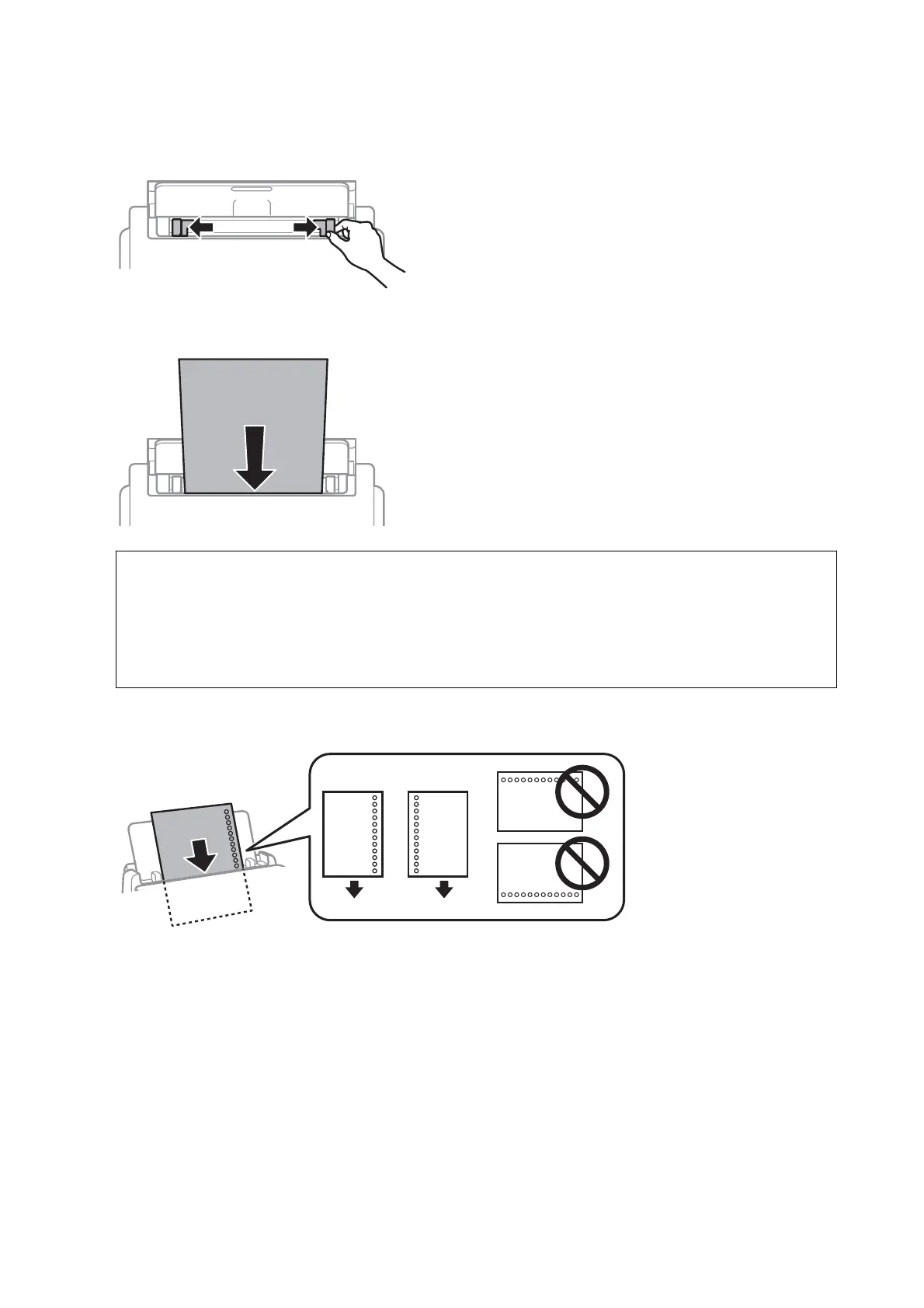
2. Slide the edge guides.
3. Load paper at the center of the rear paper feed with the printable side facing up.
c
Important:
❏ Do not load more than the maximum number of sheets
specied
for the paper. For plain paper, do not load
above the line just under the triangle symbol inside the edge guide.
❏ Load paper short edge rst. However, when you have set the long edge as the width of the user dened size,
load paper long edge rst.
Pre-punched paper
Note:
You can use pre-punched paper under the following conditions. Automatic 2-sided printing is not available for
prepunched paper.
❏ Loading capacity: One sheet
❏ Available size: A4, B5, A5, A6, Letter, Legal
❏ Binding holes: Do not load paper with the binding holes at the top or the bottom.
Adjust the print position of your le to avoid printing over the holes.
User's Guide
Preparing the Printer
29














 To Next Page