Note: The paper may slide forward slightly as you insert the cassette. This is normal.
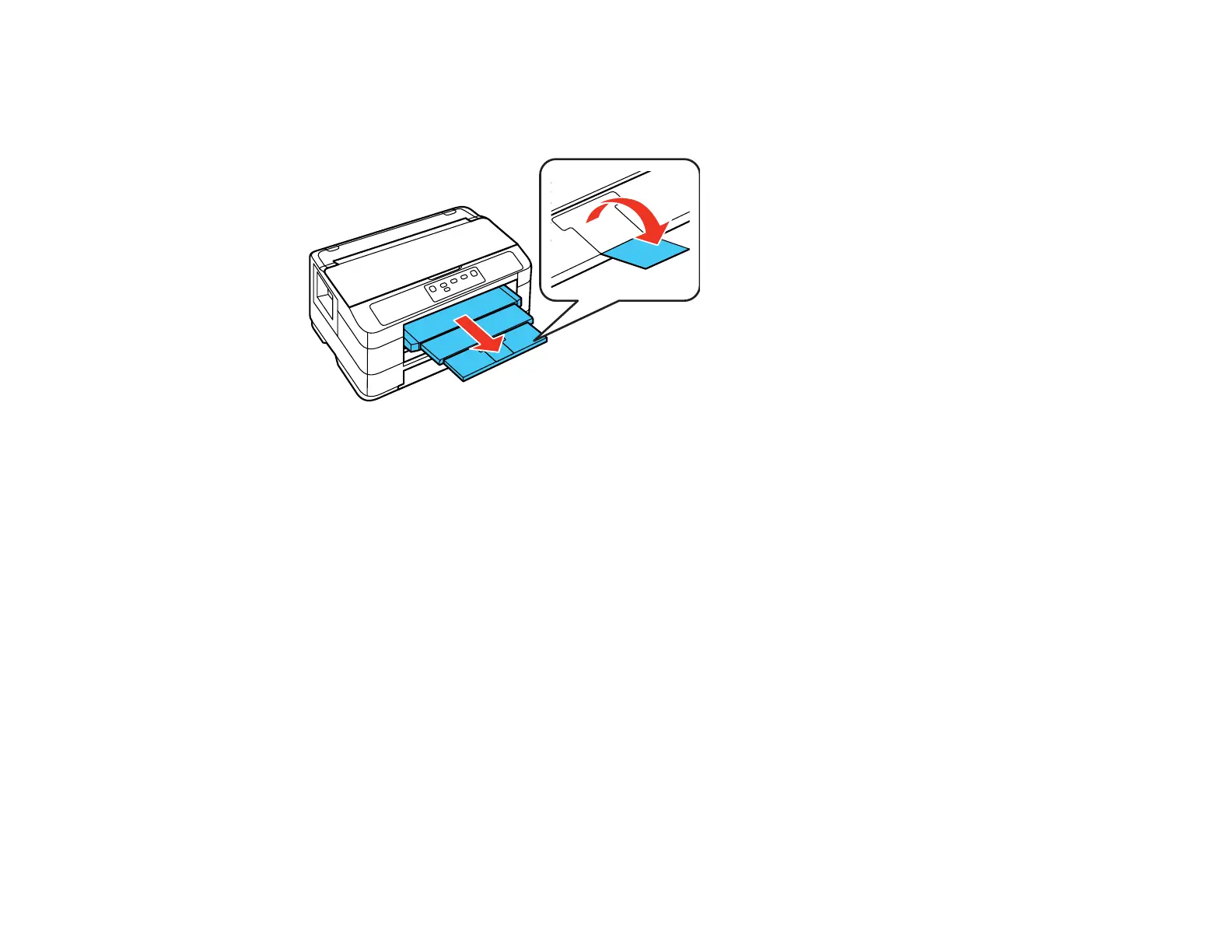
8. Extend the output tray and open the paper stopper.
Note: If you are using legal-size or longer paper, do not open the paper stopper. Do not remove or
insert the paper cassette during printing.
Always follow these paper loading guidelines:
• Load only the recommended number of sheets.
• Load paper short edge first, no matter which way your document faces.
• Load letterhead or pre-printed paper top edge first.
• Do not load paper above the arrow mark inside the edge guide.
• Check the paper package for any additional loading instructions.
Parent topic: Loading Paper
Related references
Paper Loading Capacity
Loading Paper for Photos
You can print photos on a variety of paper types and sizes. You can load 4 × 6 inches (102 × 152 mm) or
5 × 7 inches (127 × 178 mm) photo paper in Cassette 1 only.
22













 To Next Page