16
Printing With a Macintosh
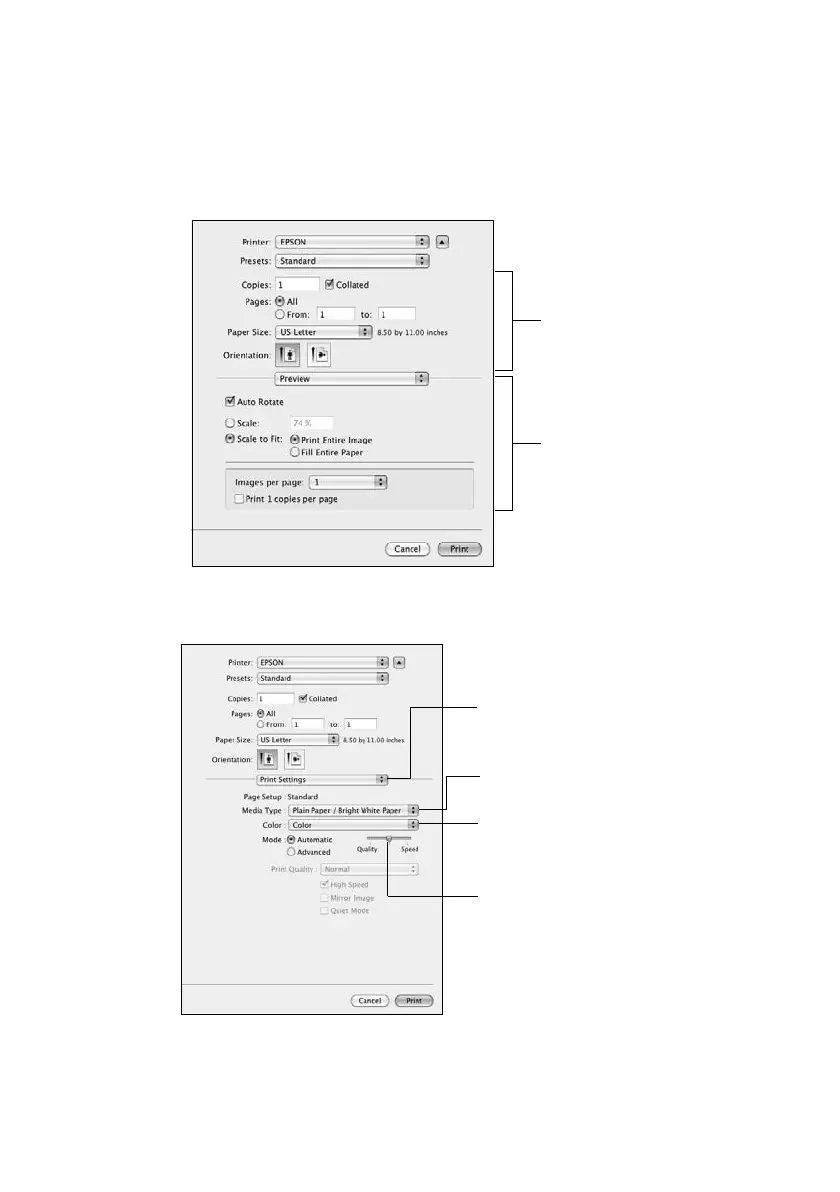
4. Select basic copy and page settings. For borderless photos, choose a
Paper
Size
setting with a
Sheet Feeder - Borderless
option.
Note:
If the setting you want isn’t shown (for example, Scale), check for it in your
application before printing or check for it at the bottom of this window.
5. Choose
Print Settings
from the pop-up menu, and select these print settings:
6. Choose any other printing options you may need from the pop-up menu. See
the online User’s Guide for details.
Copy and
page settings
Application
settings
Choose Print Settings
Select your Media Type
(see page 17)
Select higher quality or
faster printing (if
available)
Select Color or
Black/Grayscale output













 To Next Page