52
Problems and Solutions
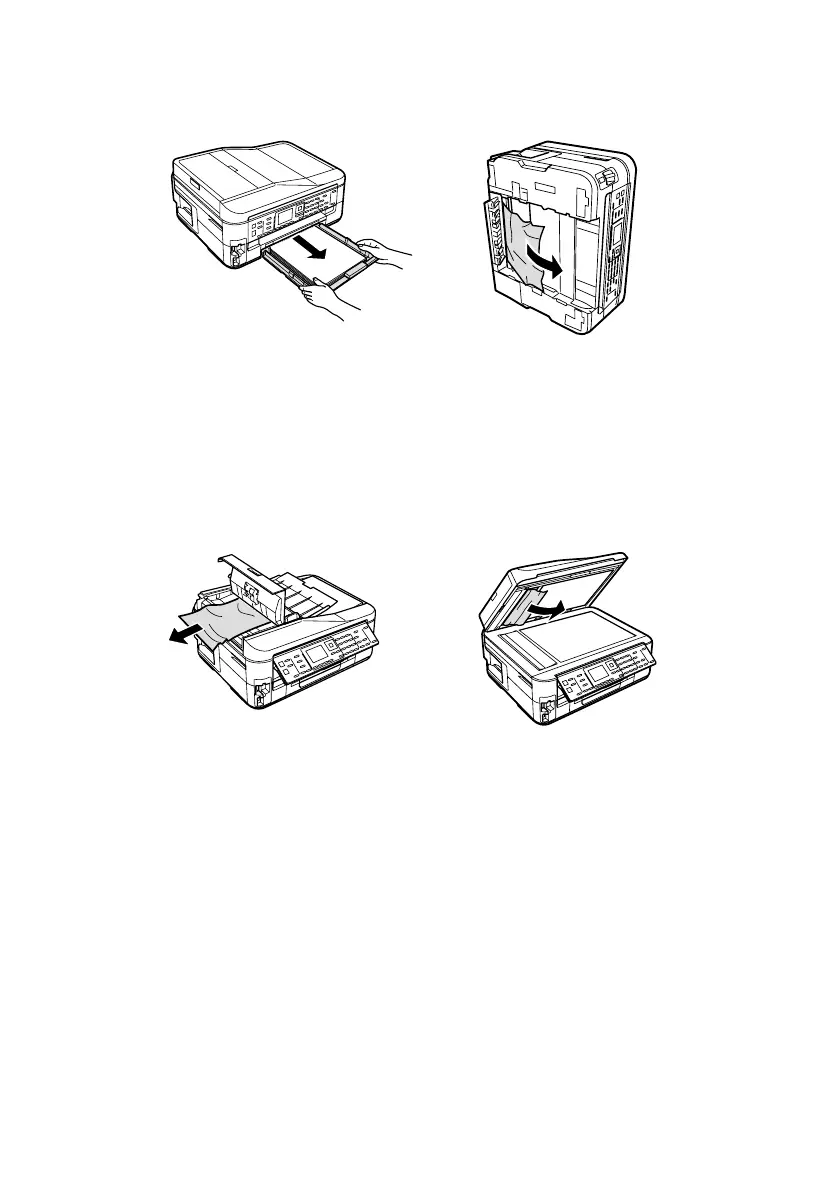
3. Remove the paper cassette. If necessary, carefully stand the printer on its side
to remove any paper.
If documents don’t feed correctly in the Automatic Document Feeder (ADF),
make sure the paper is not bent, folded, or curled. If paper has jammed:
1. Open the ADF cover and remove any jammed paper.
Caution:
Do not try to remove the paper without opening the ADF cover or you could
damage the mechanism.
2. Lift the scanner cover and remove any paper caught beneath it.
Faxing Problems
■ Make sure the recipient’s fax machine is turned on and working.
■ Make sure the
LINE
port on the product is connected to a telephone wall jack.
Verify that the telephone wall jack works by connecting a phone to it.
■ Make sure the
Auto Answer
light is turned on to receive faxes automatically.
■ If your phone line includes voice mail answering services, calls or faxes may be
inadvertently received by your voice mail service.
■ If the line has static, press
Fax
, press x
Menu
, select
Communication
, and
turn off the
V.34
and
ECM
settings.













 To Next Page