8
Placing Originals for Copying, Scanning, or Faxing
Placing Originals for Copying,
Scanning, or Faxing
Before you copy, scan, or fax, place your documents or photos on the scanner glass
or in the Automatic Document Feeder.
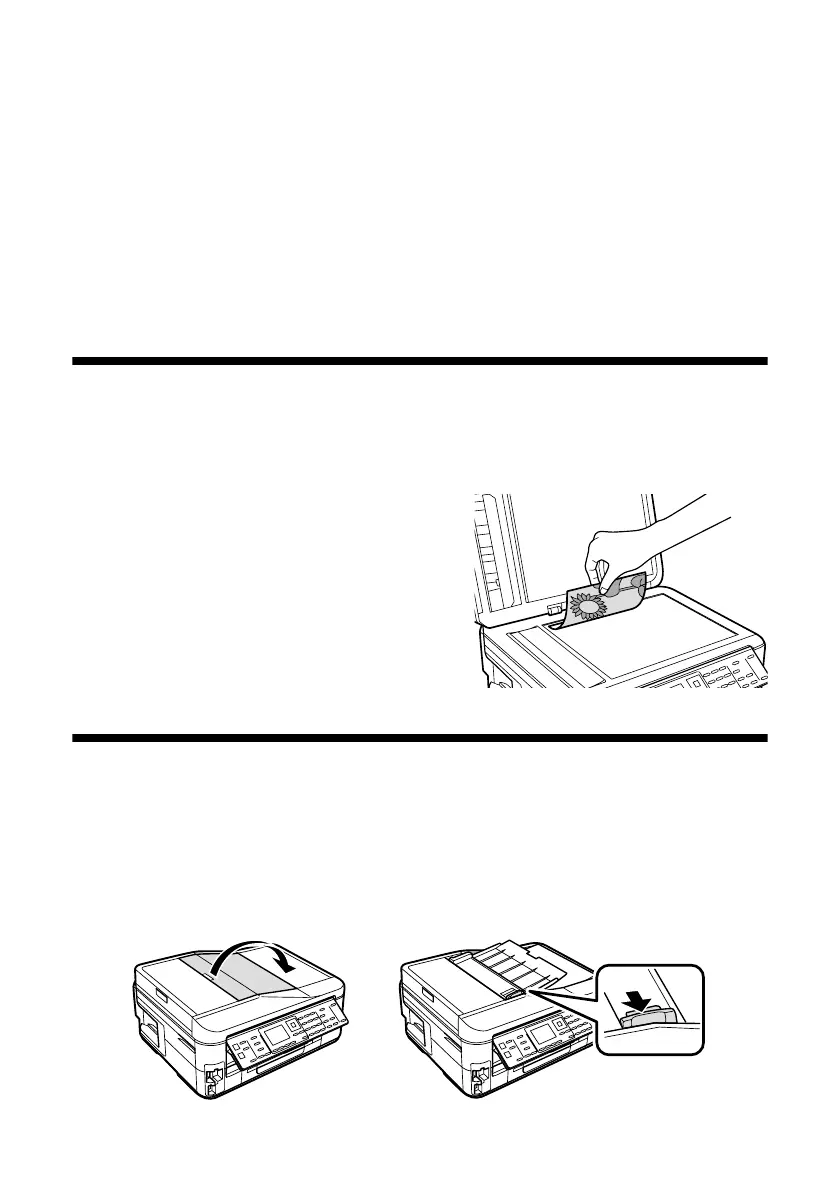
Using the Scanner Glass
You can place a photo or a document up to letter-size (or A4-size) on the scanner
glass.
1. Open the document cover.
2. Place your original face-down on the
scanner glass, with the top against the
back left corner.
3. Close the cover gently to keep your
original in place.
Using the Automatic Document Feeder
You can place up to 30 letter- or A4-size sheets, or 10 legal-size sheets (single-sided
only), in the Automatic Document Feeder (ADF).
1. Open the Automatic Document Feeder paper support, and then move the
edge guide outward.













 To Next Page