Wireless Network Setup
43
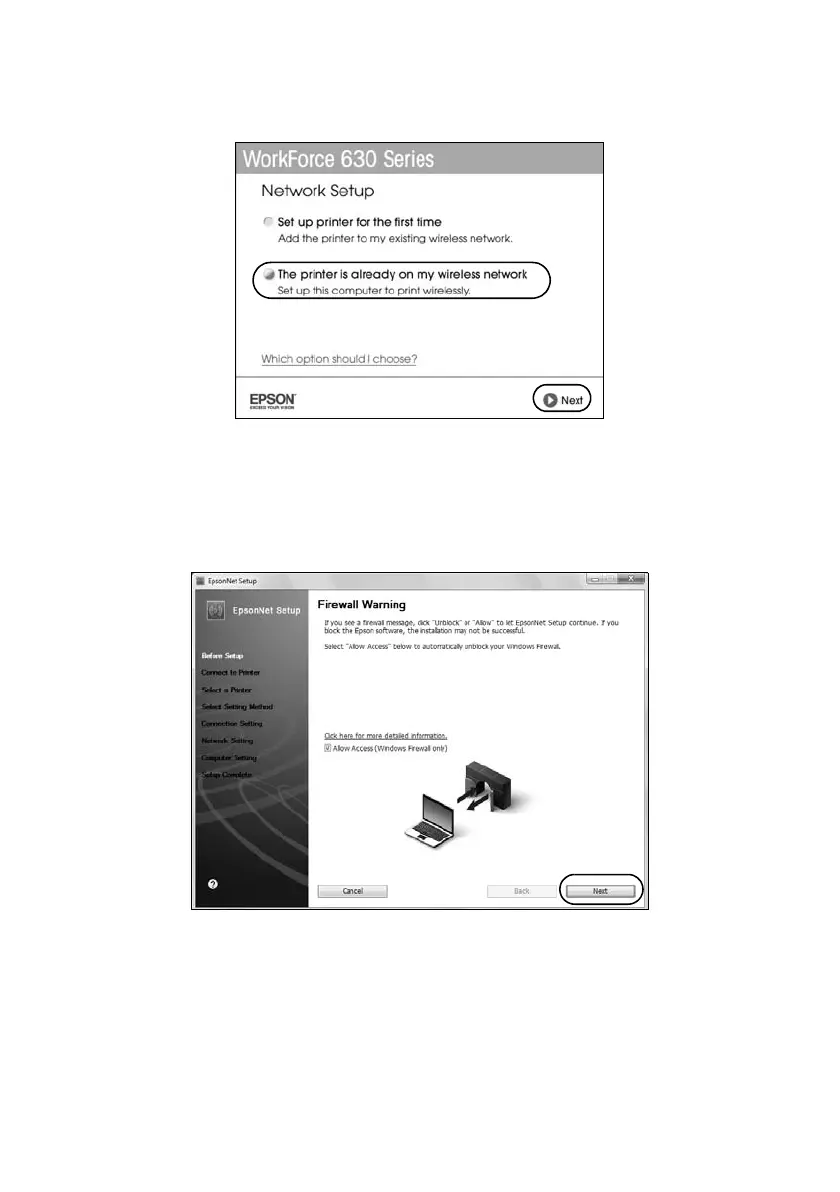
6. When you see this screen, select
The printer is already on my wireless
network
, then click
Next
.
7. Wait while the software is installed.
8. Mac OS X 10.6: Skip to step 13 on page 44.
9. When you see the Firewall Warning screen, click
Next
.
Note:
If you see a firewall alert message, click Unblock or Allow to let EpsonNet Setup
continue. Do not select Ask Me Later, Keep Blocking, or Block.













 To Next Page