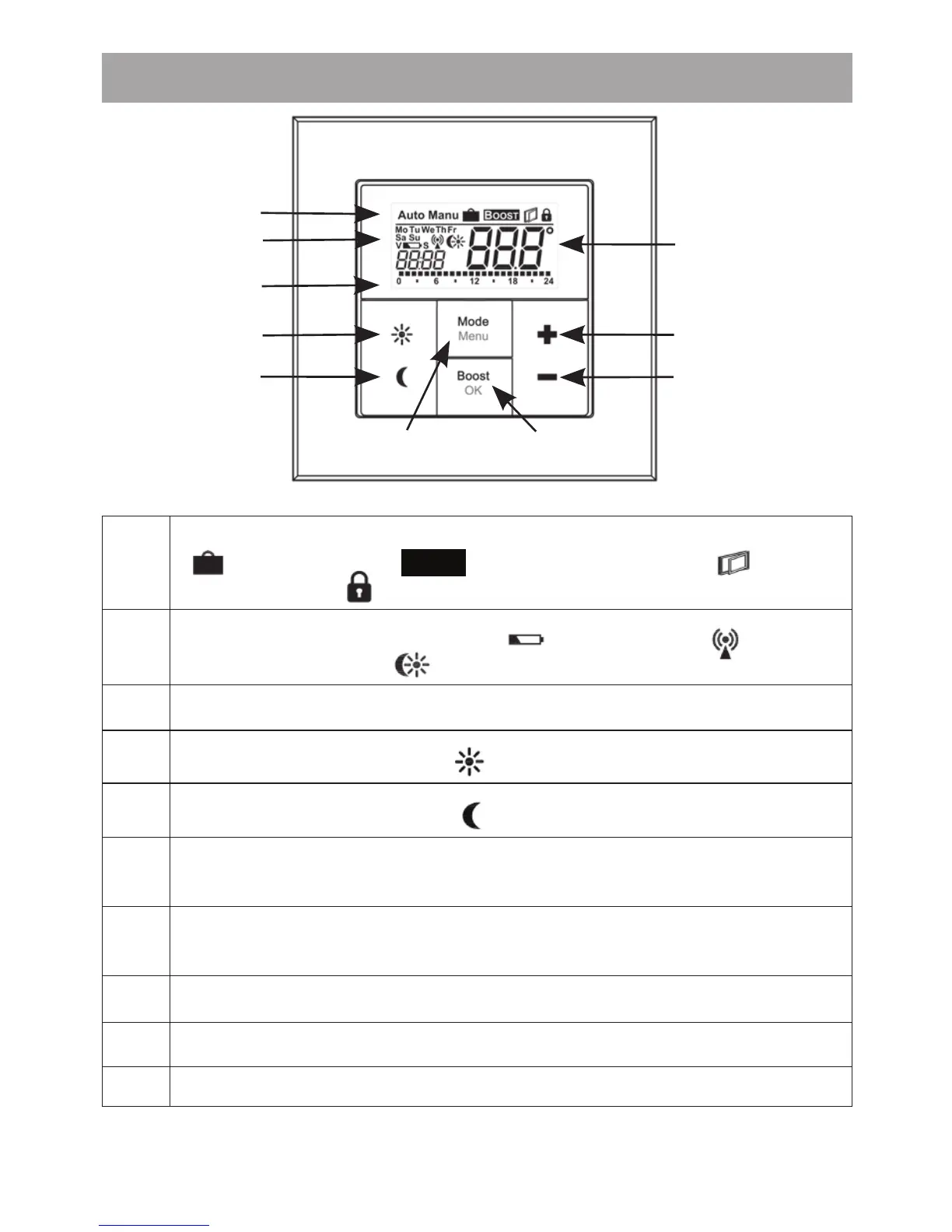
), Open Window symbol ( ), Opera-
ting lock symbol ( )
(B)
Weekday, Empty battery symbol (
), Radio activity ( ), comfort/
reduced temperature ( ), time/date
(C) Bar chart of the programmed heating phases of the current day
(D)
Comfort temperature button (
): for switching to comfort temperature
(E)
Reduced temperature button (
): for switching to reduced temperature
(F)
Mode/Menu button: to change the operating mode and open the con-
guration menu; exit/back in the menu
(G) BOOST/OK button: to conrm settings and activate the Boost function
(H) (-) button: to lower the nominal temperature, browse in the menu
(I) (+) button: to increase the nominal temperature, browse in the menu
(J) Nominal/ actual temperature


 To Next Page