50
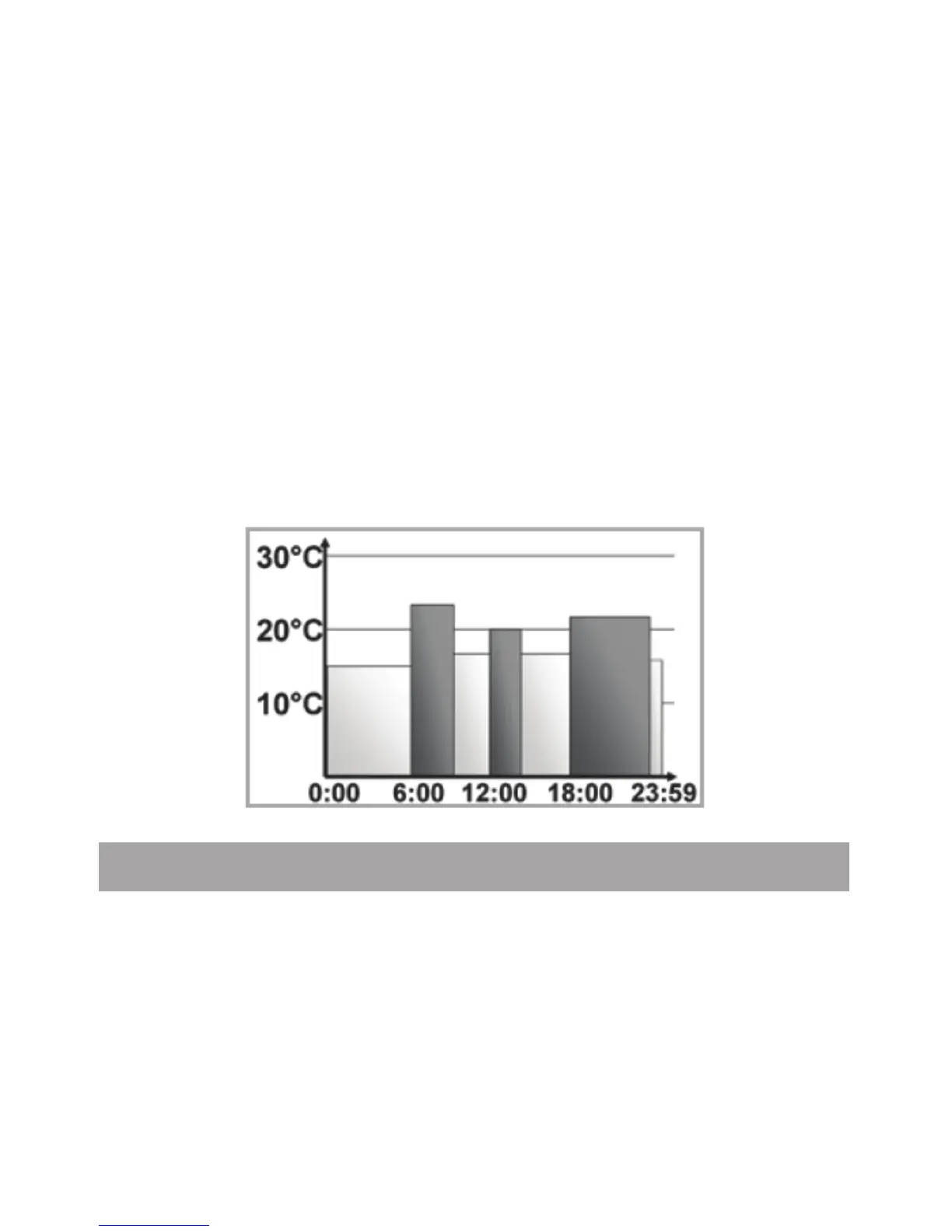
In the display, bars for heating phases are displayed whe-
never the set temperature for the period is higher than the
set reduction temperature.
If you want a room (e.g. the bathroom) to also be heated
during lunchtime the programming could look as follows:
Monday - Sunday:
from 00:00 to 06:00 15.0°C
from 06:00 to 09:00 23.0°C
from 09:00 to 12:00 17.0°C
from 12:00 to 14:00 19.0°C
from 14:00 to 18:00 17.0°C
from 18:00 to 22:00 21.0°C
from 22:00 to 23:59 15.0°C
16.2 Switching time/day (t-d) display
The factory setting will show the time on the display. In the
menu the display can be switched to the date.
• Open the conguration menu by pressing the menu but-
ton for more than 3 seconds.
• Select the “t-d” menu item with the (+) and (-) buttons and
conrm with the OK button.
• Now set the format you want to show on the display


 To Next Page