42
Manufacturer Frame
Berker S.1, B.1, B.3, B.7 Glas
ELSO Joy
GIRA System 55, Standard 55, E2, E22, Event, Es-
pirit
merten 1-M, Atelier-M, M-Smart, M-Arc, M-Star,
M-Plan
JUNG A 500, AS 500, A plus, A creation
10. Teaching-in of MAX! components
In order to use the MAX! Wall Thermostat+ in your instal-
lation, you must teach it in to the MAX! system. The teach-
in procedure depends on the system variant used. Choo-
se your system variant and follow the instructions below.
MAX! House Solution
In the MAX! House Solution all settings and pro-
grammings (e.g. week programmes) can be made
via the MAX! software.
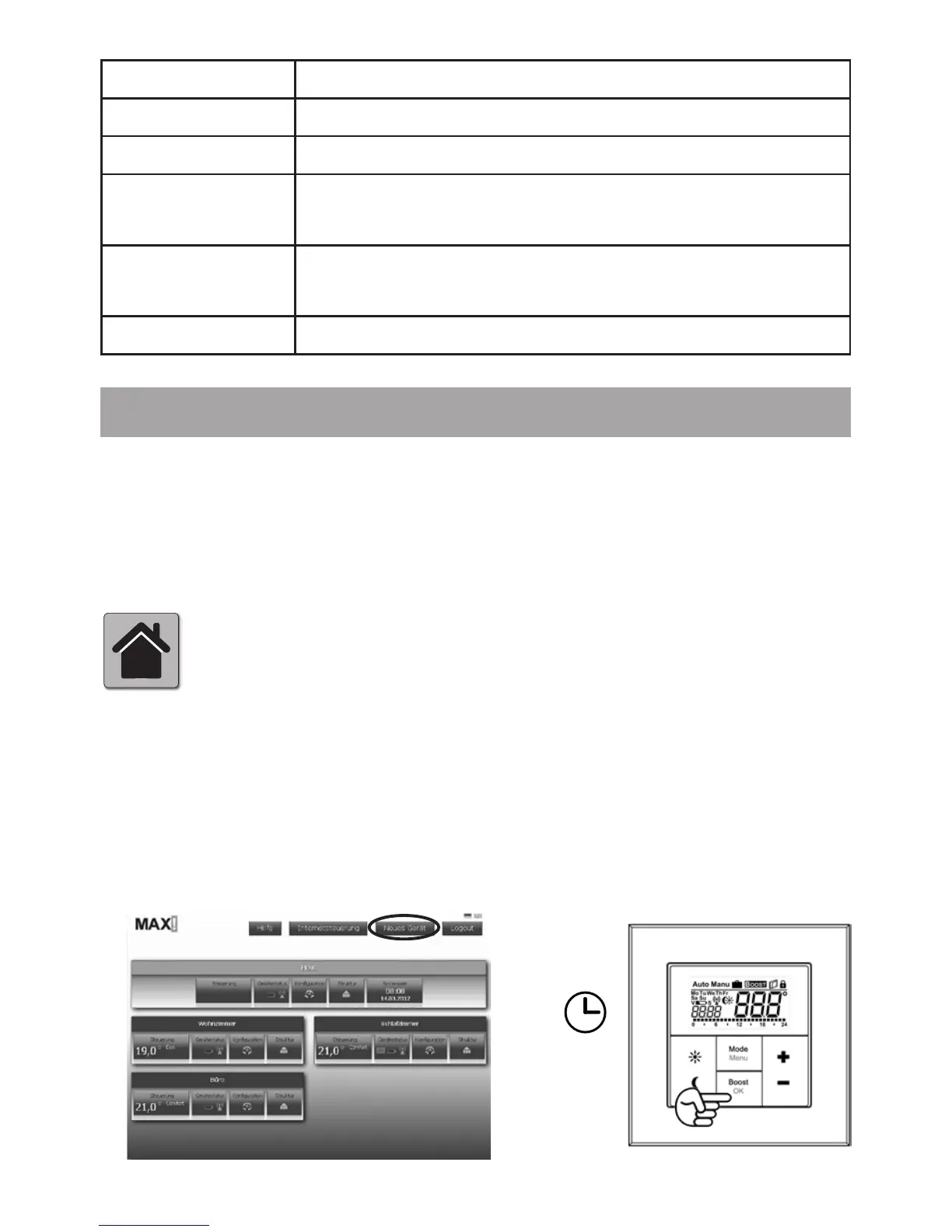
• Start the local MAX! software and click on „New device“.
• Now activate the teach-in mode of the MAX! Wall Ther-
mostat+. Press and hold down the OK button for at least
3 seconds.
1.
2.
> 3 Sek.


 To Next Page