43
• The antenna symbol appears in the display and the MAX!
Wall Thermostat+ appears in the MAX! software.
• In to software, go to „Next“ to give the device a name
and assign it to a room.
• The MAX! Wall Thermostat+ is now integrated into the
system and can be congured for each room via the
MAX! software.
As soon as the MAX! Wall Thermostat+ has been
taught in to the MAX! Cube, all data such as date,
time or week programme are transmitted to it via ra-
dio connection.
If the MAX! Wall Thermostat+ has already been con-
gured with a MAX! Wall Thermostat+, a factory re-
set must be performed prior to teaching-in for the
rst time to a MAX! Cube. All settings incl. the week
programmes will be lost.
MAX! Room Solution
In the MAX! Room Solution, you can control up to
8 MA X! Radiator Thermostat+ and 8 MA X! Window
Sensors via the MAX! Wall Thermostat+. Therefore,
all devices are taught-in to the MAX! Wall Thermo-
stat+ directly. These then take over the settings of
the MAX! Wall Thermostat+ (e.g. mode, tempera-
ture, week programme).
To teach in, proceed as follows:
• Start by switching the teach-in partner (e.g. the MAX!
Radiator Thermostat+) to teach-in mode.
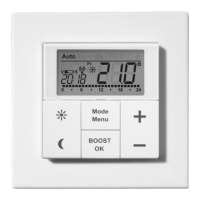
• Activate the teach-in mode of the MAX! Wall Thermos-
tat+. Press and hold down the OK-Button.


 To Next Page