5
Operating instructions
Auto mode
Toaccesstheautomode,pressthe“UP/DOWN”buttonsonthefrontoftheunittoshow
“Auto”ontheLEDdisplay.Nowpressthe“ENTER”buttonandusethe“UP”and“DOWN”buttons
tosettheautomodeyourequire.Pressthe“ENTER”buttontoconrmthesetting.Nowusethe“UP”and
“DOWN”buttonstosetthethespeedrequired.Pressthe“ENTER”buttontoconrmthesetting.
Toexitoutofanyoftheaboveoptions,pressthe“ESC”button.
Fade mode
Toaccessthefademode,pressthe“UP/DOWN”buttonsonthefrontoftheunittoshow
“FAde”ontheLEDdisplay.Nowpressthe“ENTER”buttonandusethe“UP”and“DOWN”buttons
tosetthethespeedrequired.Pressthe“ENTER”buttontoconrmthesetting.
Toexitoutofanyoftheaboveoptions,pressthe“ESC”button.
Sound active mode
Toaccessthesoundactivemode,pressthe“UP/DOWN”buttonsonthefrontoftheunittoshow
“Soud”ontheLEDdisplay.Nowpressthe“ENTER”buttonandusethe“UP”and“DOWN”buttons
tosetthesoundprogramyourequire.Pressthe“ENTER”buttontoconrmthesetting.Nowusethe
“UP”and“DOWN”buttonstosetthethesoundsensitivity(00:lowest,31:highest).
Pressthe“ENTER”buttontoconrmthesetting.
Toexitoutofanyoftheaboveoptions,pressthe“ESC”button.
Pattern mode:
Toaccesspatternmode,pressthe“UP/DOWN”buttonsonthefrontoftheunittoshow
“PAtt”ontheLEDdisplay.Nowpressthe“ENTER”buttonandusethe“UP”and“DOWN”buttons
tosetthebrightnessofLEDstring1.Pressthe“ENTER”buttontoconrmthesetting.Repeatthisstepfor
LEDstring2-4.Pressthe“ENTER”buttontoconrmthesetting.Nowusethe“UP”and“DOWN”buttons
tosetthetheashspeedrequired.Pressthe“ENTER”buttontoconrmthesetting.
Toexitoutofanyoftheaboveoptions,pressthe“ESC”button.
Slave mode:
Toaccesstheslavemode,pressthe“UP/DOWN”buttonsonthefrontoftheunittoshow
“SLav”ontheLEDdisplay.Theunitisnowinslavemode.Pressthe“ENTER”buttonto
conrmthesetting.
Toexitoutofanyoftheaboveoptions,pressthe“ESC”button.
DMX address:
TochangetheDMXaddress,pressthe“UP/DOWN”buttonsonthefrontoftheunittoshow
“Addr”ontheLEDdisplay.Nowpressthe“ENTER”buttonandusethe“UP”and“DOWN”buttons
tosettheaddressyourequire.Pressthe“ENTER”buttontoconrmthesetting.Thisisalsothe
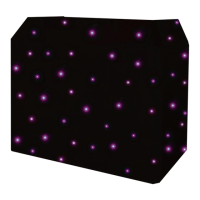
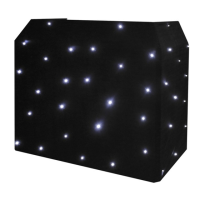
modethatneedstobeusedwhencontrollingthestarclothviaDMX.
Toexitoutofanyoftheaboveoptions,pressthe“ESC”button.



 To Next Page