19
4.3. Menu operation method
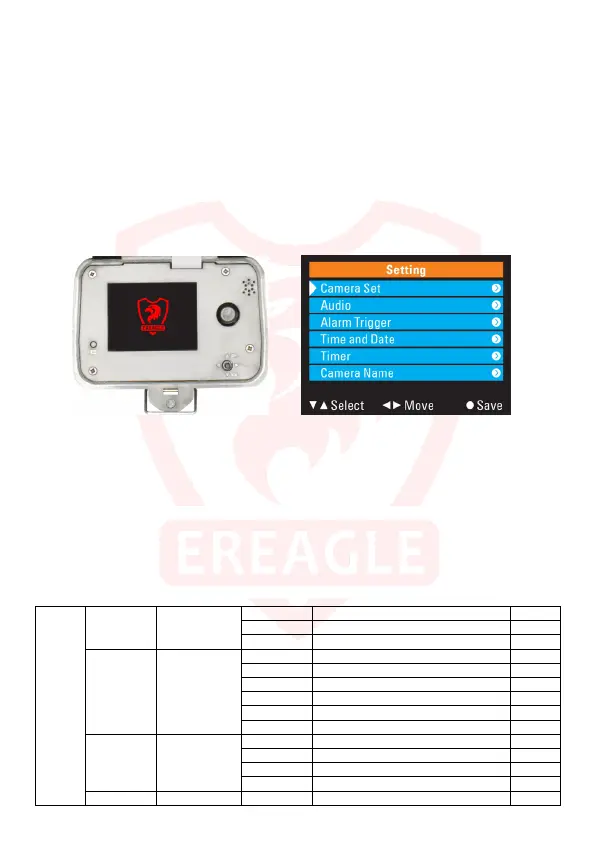
Users can enter the menu and set parameters in the camera test mode; Alternatively, use PC-side
software for parameter settings.
Setting method:
1.Press the "MENU" button to pop up the setup menu.
2.Press "UP" and "DOWN" to move the cursor to select the corresponding option or parameter. Press
"MENU" or "RIGHT" key to enter the submenu or save the setting.
3.Press "LEFT" key to return to the previous menu. Press "VIEW" key to save and exit the menu.
4.Press "LEFT" and "RIGHT" to select the input position, press "UP" and "DOWN" to select the number to
be input. Press "MENU" or "VIEW" to save and exit the menu.
5.Press the "LEFT" and "RIGHT" keys to move the cursor up and down while pressing the "UP" and
"DOWN" keys to enter the current character. Press the "VIEW" key to save and exit the menu.
Button Menu
4.4. Shooting mode selection
The camera supports 3 shooting modes, camera mode, video mode, camera + video mode.
Image parameters: User can choose the size of shooting pictures, continuous shooting number and
other parameters.
Video parameters: User can set the recording video definition, maximally 1080P/30FPS. You can also
set the video length.
Shooting Limit: User can control the shooting numbers per day by this setting, to reduce the power
consumption.
Camera Set
Mode Single selection
Camera camera only default
Video video only
Camera+Video Camera first, video second
Image size Single selection
12M 4608×2592
8M 3624×2448 default
5M 2560×1920
3M 2048×1536
2M 1920×1080
1M 1280×720
Video Size Single selection
1080P 1920×1080 default
720P/60 1280×720
720P/30 1280×720
480P 720×480
Shooting No. Number 1~5 number of photos taken continuously 1



 To Next Page