Cleaning and maintenance
07/2015 1015722-00B Operating instructions – 49/84
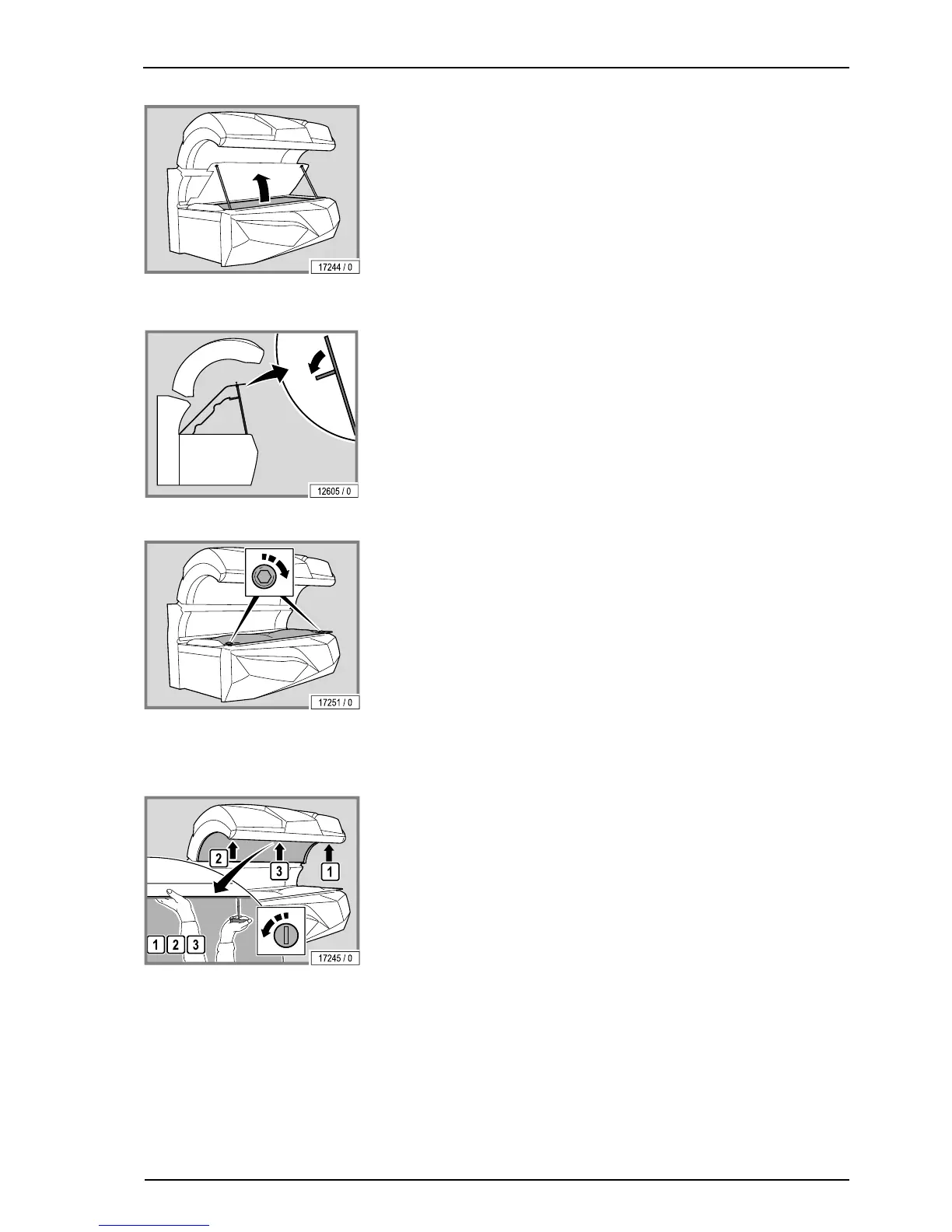
– Lift up the partition (only for devices with an air conditioning unit).
– Fold out the supports.
– Prop the partition on the supports.
The assembly is the same process in reverse order.
When assembling the device please note:
– Remove fingerprints and other soiling carefully.
– Insert and tighten the screws
4.7.2 Remove the canopy panel
– Turn the locks through 90°: first the outer locks, then the lock in the
middle.
– Support the canopy panel with one hand so that it does not fall down.



 To Next Page