Operation Manual
er900L Operation Manual
36
Version: 12/01
Art-Nr: 475.043
Ergometer
Type er900L
7.3.3 ECG Start Pulse Duration (only for remote start of ECG)
The ergometer has a remote start output with which an ECG device can be triggered
(provided that the ECG device has a corresponding input). The feature programmed
below determines the period during which the remote start signal is applied to the out-
put. Signal duration is fully selectable in 1 second steps within a range of 0 - 99. Signal
duration is determined as follows:
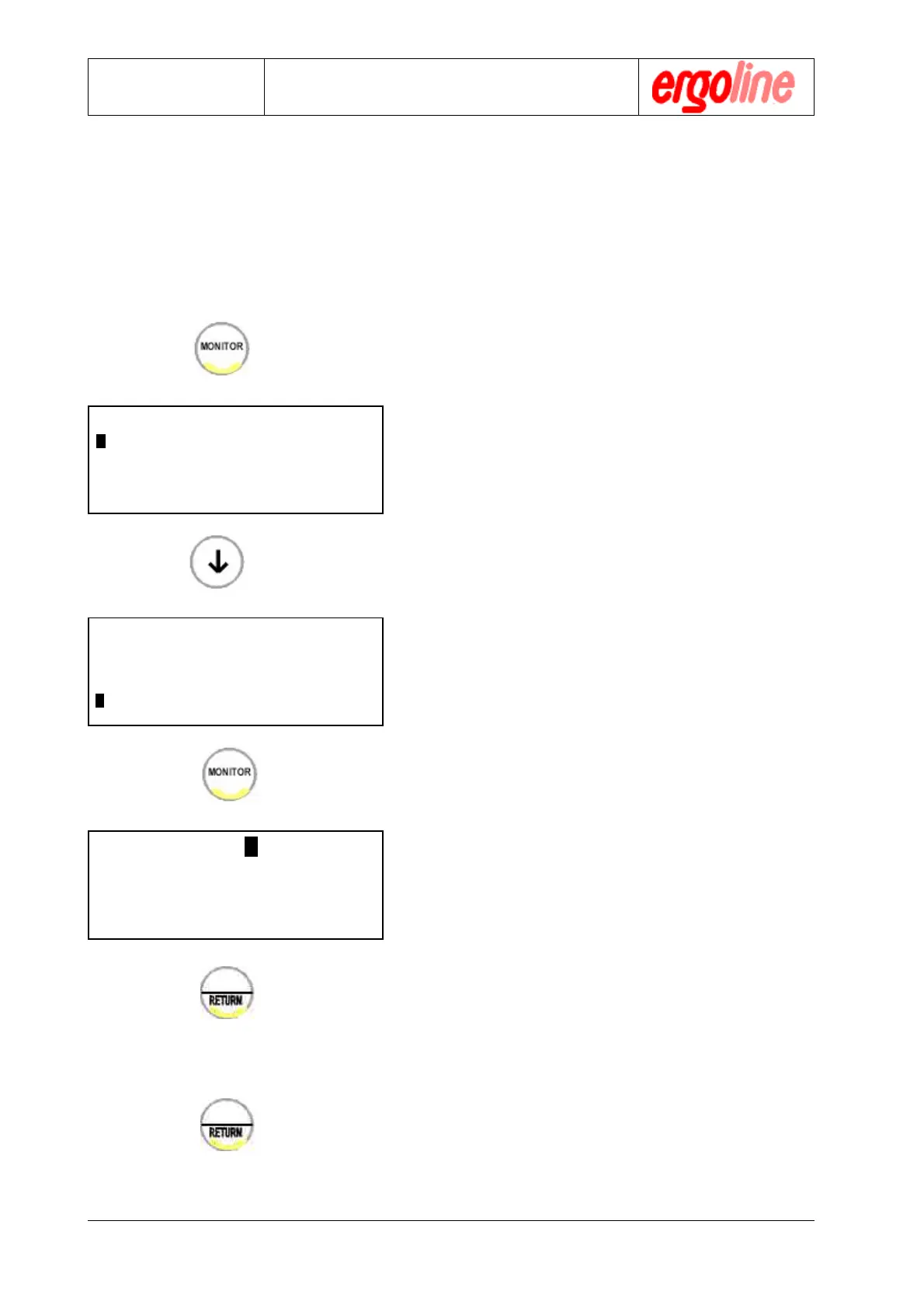
" Press the button „MONITOR“
The monitor main menu will appear in the
display
" Using the arrow keys in the alphanumeric
keypad, move the cursor to the menu item
„ECG RECORD“
" Call up this subprogram by pressing the
button „MONITOR“ again.
" Enter the period in seconds using the al-
phanumeric keypad. The cursor will auto-
matically advance.
" Confirm the entry by pressing the „RE-
TURN“ key. The main menu will then re-
appear.
You may now proceed to other menu items
or exit the monitor program by pressing the
button „RETURN“ again.
$$
$$
$
MONITOR V.XXX
ACTIVATE PROGRAM
ADJUST CLOCK
mmHg - kPa
$$
$$
$
$$
$$
$
MONITOR V.XXX
LOAD INT/EXT
ADJUST LOAD - INPUT
ECG - RECORD
$$
$$
$
$$
$$
$
ECG - RECORD XX sec M
$$
$$
$
%
%
%
Configuration


 To Next Page
 Loading...