23BusinessPhone – Analog Telephone
Outgoing Calls
Program Dial-by-Name
How to program a directory number on the programmable keys.
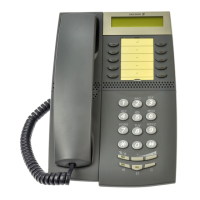
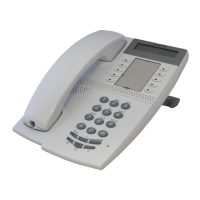
On the Dialog 4106 Basic:
The Dialog 4106 Basic has four keys for Dial-by-Name
programming; the three programmable keys and the Message key.
Note: To store a number on the Message key, just press the
key during the following procedure like a normal
programmable key.
u Lift the handset.
Wait for dial tone.
¥ Press.
î Press a programmable key.
If a number is already stored, it will be erased automatically.
If you would like to erase a Dial-by-Name number, store a 0 instead
of the telephone number.
z
Dial the number.
You can use any directory number, e.g. a Common Abbreviated
Number or a colleague’s extension number. You can also store a
pause (multiple pauses possible), the R-key function, the Last
Number Redial function or any code that contains
* or #. To store
a number that incorporates a wait for a new dial tone, see section
“Wait for dial tone” on page 16.
¥ Press.
d Replace the handset.
Notes:
You can write the names above the keys on the self-
adhersive label. Because of the special label material, you
can also delete and re-write any key name.
If you press an invalid key during programming, the
programming mode will be terminated automatically and
you will here a special rejection tone.








 To Next Page