17
Filter Replacement Procedure
For these operations, we strongly recommended that the user or maintenance
technician wear the necessary safety equipment,
including: safety glasses, lab coat and gloves
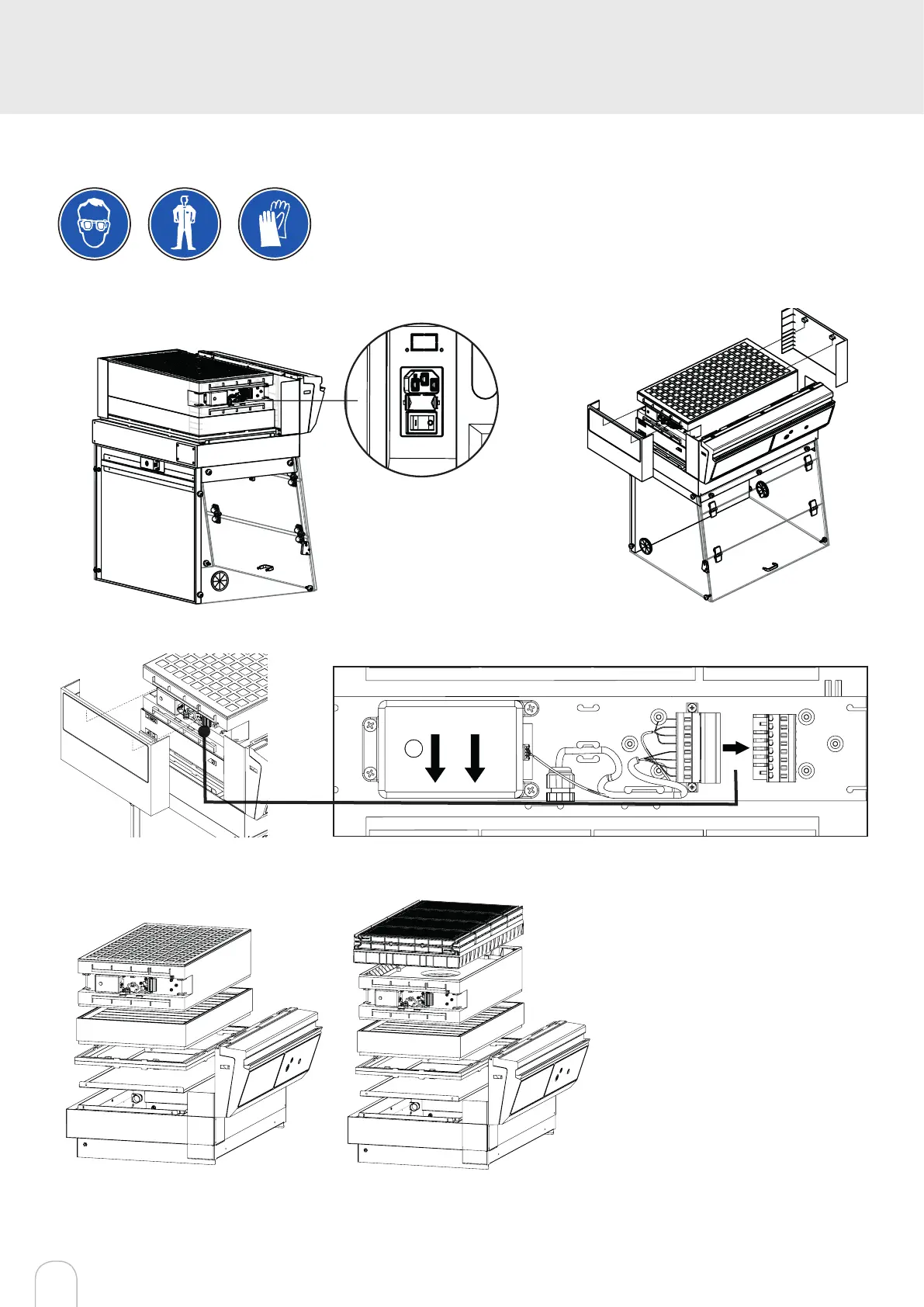
Switch off the workstation
Remove the protective shields on either
side of the workstation
Diconnect the power supply to the fan
Air Flow
Models Captair Bio 321 - 391 Smart
Unstack the ltration column(s) above
the workstation.
After carrefuly removing the lters from
their packaging, assemble the column
per the conguration below.
If your column conguration changed,
Apply the correct fan setpoint for the
ltration column conguration
(see fan setpoints)
1C1P
1P



 To Next Page