5
Standard usage and decontamination of your Captair Bio Smart ductless
filtering PCR workstation
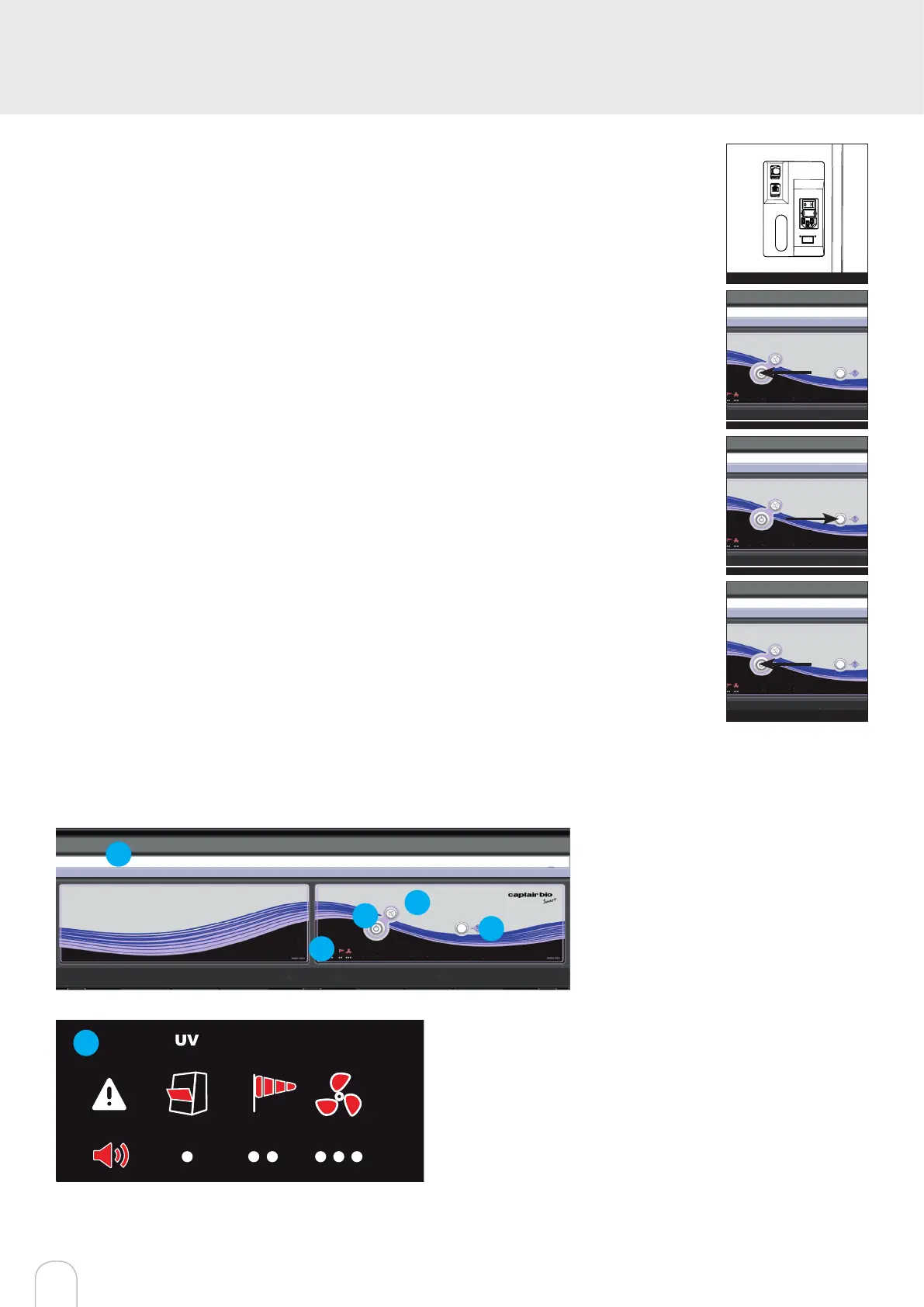
1- Make sure that the unit is on (general switch at the back of the control panel on 1 position (cf.
g 1) and that the fan is off (button on the front panel (cf. g 2)
2- Make sure that the front door is closed and turn on UV lamp(s) (UV button on the front panel
(cf. g3). UV lamp turns on during time set from the eGuard interface (20 min default time, can
be modied connecting on the unit).
A signal will be heard 1 minute before the end of the decontamination.
3- After decontamination cycle, turn on the button located on the front panel (cf. g4) in order to
turn on the fan and lighting, then open the door. You can now perform a new handling.
4- Once the handling is nished, stop the unit by pressing the button located on the front panel
and close the front door.
5- A new cycle of decontamination can be done when making sure that the front door is closed
and pressing the UV button.
Warning :
UV lamp only turns on when front door is closed AND the fan ventilation is off.
At the end of a decontamination cycle it is recommended to turn on the fan before opening the
front door.
UV lamp automatically switches off if the front door is opened during decontamination, is then
suspended and will continue when door is closed.
g1
g2
g3
g4
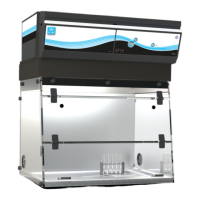
Description of the controller
2
3
4
5
1
1 - Switch on fan and lights in workstation
2 - Silence the alarm (Mute key)
3 - UV key
4 - Smart-Light that pulses when in alarm
5 - Keycode to indicate which alarm is active
5
Smart Technology communicates simply about performances
and lter ef-ciency of your product via a LED band of light called
Smart- Light. This light signature casts a steady LED glow when
unit is operating properly. If normal operation is disrupted, the
LED signature simply pulses, drawing the atten-tion of the opera-
tor only when necessary.



 To Next Page