5 OPERATION
0463 609 101
- 14 -
© ESAB AB 2020
Power source connection socket XP2 pinouts
X Arc voltage from welding head
K Power source start
L 0V, common for power source start and reference
M 0-10V reference
N Current shunt negative (-mV)
P Current shunt positive (+mV)
R Emergency stop
Y Emergency stop
S 24VAC / trigger input. For non-ESAB power sources.
T Contact closure to pin S / trigger common. For non-ESAB power sources.
U Reserved for future use.
To connect EAC10 with non-ESAB SAW analogue power source, an analogue power source
interface box and control cables are available as accessories.
See chapter "ACCESSORIES".
5.3 USB connection
The external USB memory can be used to transfer programs to and from the control panel.
The USB memory must be formatted as FAT 32 in order to work. During normal use there is
no risk of viruses being able to infect the equipment.
NOTE!
The USB memory used with this equipment shall not be used for any other purpose.
Certain USB memories may not work with this equipment. Use a USB memory from a
reputable supplier.
NOTE!
ESAB assumes no responsibility for any damage caused as a consequence of
incorrect use of the USB memory.
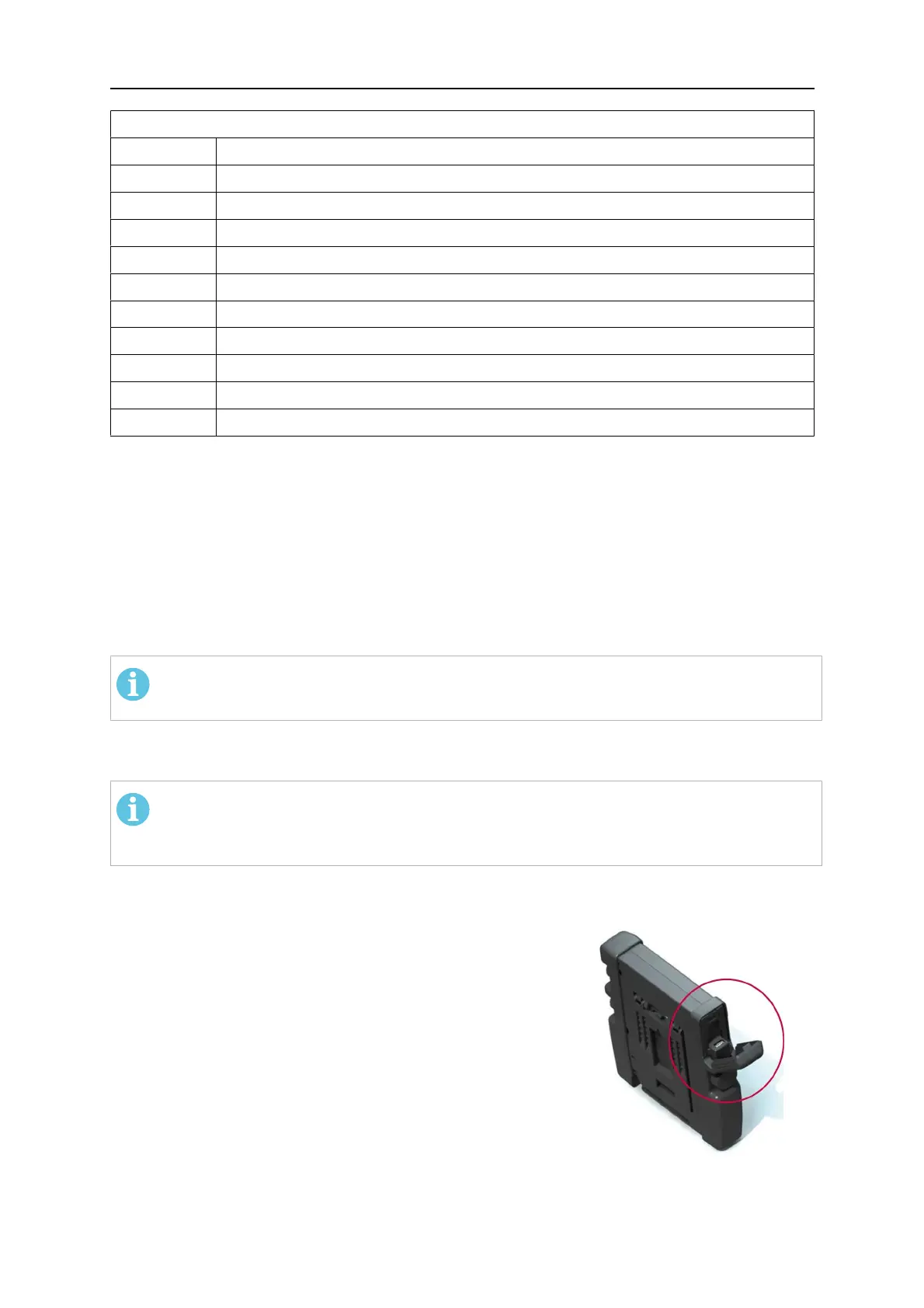
5.3.1 Insert the USB memory
• Turn off the main switch of the power source.
• Open the cover on the left-hand end of the control panel
(14).
• Insert the USB memory in the USB connector.
• Close the cover.
• Turn on the power source's main switch.



 To Next Page