9
To mark a location, press the MRK button. The display
will read “Mark?” Press MRK again to bring up a menu
of markers to choose from. Press + or – to scroll
through the markers, then press MRK to select the
marker you wish to use at this location. The display
will read “Marked!”
NOTE: When a location is marked the rst time, you must
travel at least 1 mile away from that location to receive
an alert when you return to the area.
To unmark a location, touch the MRK button when
you are receiving a marked-location alert. The display
will read “Unmark?” Touch the MRK button again
to conrm. The display will read “Unmarked!” To
customize the types of markers you want to be able
to set and receive, see the Settings & Preferences
section.
Over-Speed Alert
With ESCORT iX, you can set the Over-Speed Alert to
notify you when you are traveling over a specied
speed (factory default is 70 mph; see Settings &
Preferences for details). When you travel above the
speed threshold you have set, the background display
for your current speed will turn red to alert you that
you have exceeded the specied speed.
Alert Tones
Standard
The factory default for alert tones is the ESCORT
Standard mode, in which ESCORT iX uses a Geiger
counter-type sound to indicate the signal strength
and type of radar signal being encountered. When
you encounter radar, a distinct audible alert will
sound and will increase as the signal gets stronger.
This allows you to judge the distance from the signal
source without taking your eyes o of the road. Each
band has a distinct tone for easy identication:
X band = beep tone
K band = brap tone
Ka band = double-brap tone
Laser = solid brap tone
Pop = solid brap tone
Mild
Mild mode oers softer, simpler alert tones that are
less obtrusive to the driving experience:
• X band, K band,
Ka band and Pop = Doorbell chime
• Low signal strength = Double chime
• High signal strength = Triple chime
• If alert remains in area
more than 15 seconds = Single chime
(as a reminder)
• Laser = Solid brap tone
Since laser signals are a possible threat no matter how
weak, ESCORT iX alerts you to all laser signals with a
full laser alert. See the Settings & Preferences section
for details on switching your alert tones.
Cruise Alert
For all alerts received while traveling below the
speciced speed, ESCORT iX will sound a simple
double-beep alert (factory default is 20 mpg; see
Settings & Preferences for details).
Voice Alerts
ESCORT iX provides digital voice announcements for
alerts and selection feedback. If you prefer, you can
turn o the voice feature. See the Settings &
Preferences section for details.
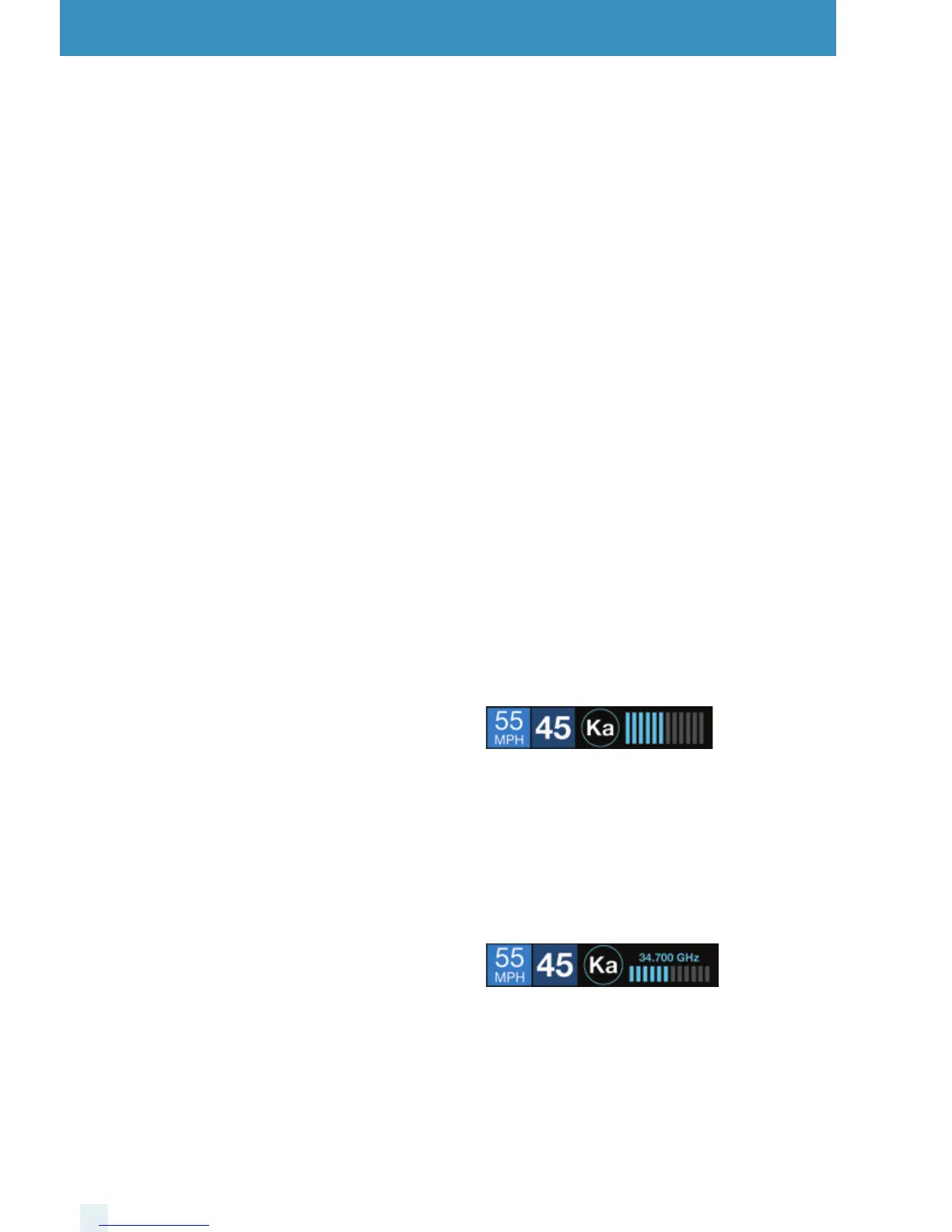
Signal-Strength Meter
ESCORT iX oers four dierent settings for displaying
alerts:
Standard
The Standard option provides information on a single
radar signal. When ESCORT iX detects radar, it displays
the band of the radar (X, K or Ka) and a bar graph of
the signal’s strength. When laser is detected, the
display will simply read “Laser.” If there are multiple
signals present, ESCORT iX will determine which one
is the most important threat to display.
SpecDisplay
The SpecDisplay option is an advanced display for
experienced detector users. In this mode, it will
display the actual numeric radar frequency being
received. Even long-time detector users will require
some time to get familiar with this new level of
information about detected signals. To use
SpecDisplay instead of the Standard bar graph meter,
you must select it (Spec) in Preferences.



 To Next Page