Programming Menu
9
OVERVIEW
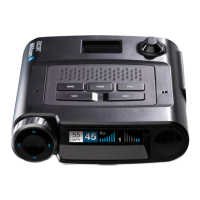
To access the Programming menu, press the PRG button. “Programming” will be displayed.
To navigate the Programming menu:
• The selected Menu item is displayed in white text.
• Rotate the Volume Ring to change the selected (white) Menu item.
• Press the MUTE button to change the setting of the selected Menu item.
• Press the MUTE button again to return to the selected Menu item.
To exit Programming, press the PRG button or simply wait a few seconds without pressing any
buttons. A “Completed” message will display, confirming your selection(s).
Restore factory Settings
To restore MAXcam 360c to its original factory settings:
• Press and hold MRK and BRT while turning the power on.
• Restore Factory Settings? will display.
• Press the MUTE button to confirm. To cancel, wait 10 seconds.
• Factory Settings Restored will display and MAXcam 360c will reboot.
• You will be prompted to select your Time Zone and the Daylight Saving Time setting.
The following is a list of all settings available in the Programming menu followed by detailed descrip-
tions of each setting.


 To Next Page