Controls and Features
10 11
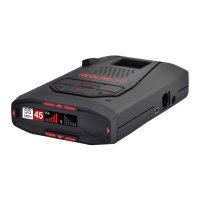
Power Connector
RedLine’s power jack uses a telephone-
type connector. This 4-conductor
connector only works with the included
SmartCord or optional direct-wire or our
standard power cord.
For more information or to order, call
us toll-free at 1-800-433-3487.
Signal Strength Meter
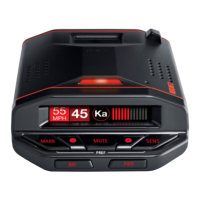
RedLine’s alphanumeric display consists of
280 individual LEDs, to provide an
intuitive ultra-bright display of signal
strength and text messages.
RedLine’s standard bar-graph signal
strength meter only displays information
on a single radar signal. If there are
multiple signals present, RedLine’s
internal computer determines which
signal is the most important threat to
show on the bar-graph meter.
When RedLine detects radar, it
displays the band (X, K, or Ka), and a
precise bar-graph of the signal strength.
When RedLine detects a laser signal, the
display will show “LASER.” When it
detects a POP signal, the display will show
“POP.”
NOTE: If you are operating
RedLine in the Dark mode, the display
will not light when a signal is
detected—only the audio and the
flashing alert lamp on the SmartCord.
NOTE: If you use ExpertMeter, the
brief signal shown in the power-on
sequence when you turn on your
RedLine will also be in ExpertMeter:
an X with a single vertical line.
A few more examples will help you
better see how the ExpertMeter works.
K
|
X
||
'
Here ExpertMeter shows 1 strong K-band
signal, and three X-band signals, two
strong and one weak.
KA
|
X
'''
Here ExpertMeter shows 1 strong Ka-band
signal, and three weak X-band signals.
X
On very weak signals, there will be no
vertical line. This shows a very weak
X-band signal.
ExpertMeter Details
The band designators (X, K, Ka) will
stay on the display for a few seconds after
the signal has passed. This allows you to
see what the unit detected, even on very
brief signals.
However, the vertical lines
representing individual signals
continuously change (several times a
second) to give you a continuous
instantaneous view of all radar signals
present.
SpecDisplay
The RedLine’s SpecDisplay option is for
the experienced detector user. In this
mode, the RedLine will display the actual
numeric frequency of the radar signal
being received.
K 24.150
SpecDisplay shows one K-band signal at
24.150 gigahertz.
NOTE: Even long-time detector
users will require some amount of
time to get familiar with this new level
of information about detected signals.
ExpertMeter
RedLine ‘s ExpertMeter option is an
advanced display for experienced
detector users. Please use RedLine for a
few weeks to get familiar with its other
features before using ExpertMeter.
To use the ExpertMeter instead of the
bar graph signal strength meter, you must
select MeterExp in Preferences (see
pages 14-16).
RedLine’s ExpertMeter simultaneously
tracks up to 8 radar signals. It provides
detailed information on up to (2) Ka-band,
(2) K-band, and (4) X-band signals.
ExpertMeter can help you spot a
change in your normal driving
environment; for example, a traffic radar
unit being operated in an area where
there are normally other signals present.
ExpertMeter is actually a miniature
spectrum analyzer. It shows what band
each signal is on and its relative signal
strength.
KA
||
K
||
X
||||
Above is the ExpertMeter display if
RedLine was detecting 2 strong Ka-band,
2 strong K-band, and 4 strong X-band
signals.
As you can see, there are vertical lines
after each band designator. Each line
shows a signal being detected. The height
of each line shows the relative signal
strength of that signal.



 To Next Page