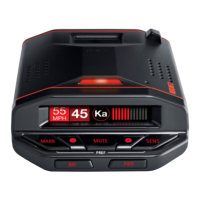
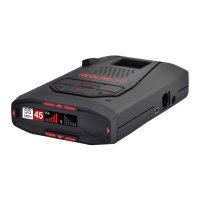
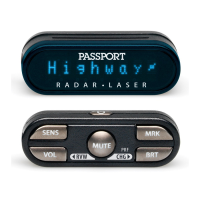
Features and Specifications
Operating Bands
• X-band 10.525 GHz ±25 MHz
• K-band 24.150 GHz ±100 MHz
• Ka-band 34.700 GHz ±1300 MHz
• Laser 904nm, 33 MHz bandwidth
Radar Receiver / Detector Type
• Twin Antennae
• Superheterodyne, VTO
• Scanning Frequency Discriminator
• Digital Signal Processing (DSP)
Laser Detection
• Quantum Limited Video Receiver
• Multiple Laser Sensor Diodes
Display Type
• 280 LED Alphanumeric
• Bar Graph, ExpertMeter or SpecDisplay
• 4 Levels of Brightness Control, Plus
Dark Mode
Power Requirement
•
12VDC, Negative Ground
• SmartCord Power Cord (included)
Preferences
• Power-On Indication
• Brightness
• Alert Lamp
• Power-on Sequence
• Signal Strength Meter
• AutoMute
• Voice Alerts
• Radar / Laser Bands
Sensitivity Control
• Highway, Auto and Auto NoX
Auto Calibration Circuitry
Tota
lShield™ Technology
Dimensions (Inches)
• 1.25 H x 2.75 W x 4.75 L
16 17
Specifications Details of Preference Options
AutoMute
aMute ON (AutoMute on)
In this setting, the RedLine’s audio alerts
will initially be heard at the volume you
set, but after a few seconds, the RedLine
will automatically reduce the volume level,
to keep you informed, but not annoyed.
(factory default)
aMuteOFF (AutoMute off)
With AutoMute off, RedLine’S audio alerts
will remain at the volume you set for the
duration of the radar encounter.
Voice
VoiceON (Voice announcements on)
In this setting, all radar, laser, and SWS
messages (if programmed) will be
announced using a digital voice. (factory
default)
VoiceOFF (Voice announcements off)
In this setting, only the distinct audio tone
will be heard when a radar, Laser, or SWS
message is detected.
Bands
BandsDFT
In this setting, the factory default settings
for radar and laser are monitored.
This is the factory setting, and it is
highly recommended that you use your
RedLine in this mode.
BandsMOD
In this setting, RedLine will warn you with
an audible alert, and associated text
message stating which band has changed
from the original factory setting (i.e. “SWS
ON”). This warning is displayed during
the start up sequence (standard or fast).
WARNING: Do not turn off a
band unless you are absolutely
certain that there are no traffic
radar units using that specific band
in your area.
NOTE: These settings only apply
when RedLine is operated in Auto
NoX mode. X-band sensitivity is not
affected when used in “Auto,” or
“Highway” modes.



 To Next Page