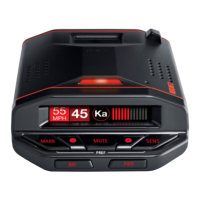
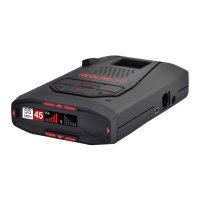
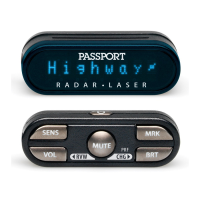
24 25
Troubleshooting
Problem
RedLine beeps briefly at the same
location every day, but no radar
source is in sight.
RedLine does not seem sensitive to
radar or laser.
RedLine did not alert when a police
car was in view.
RedLine did not provide a Safety
Signal while within range of an
emergency vehicle.
RedLine’s display is not working.
RedLine’s audible alerts are less
loud after the first few alerts.
RedLine bounces or sags on
windshield.
RedLine’s power-on sequence
reoccurs while you are driving.
Solution
• An X-band motion sensor or intrusion alarm is located
within range of your route. With time, you will learn
predictable patterns of these signals.
• Make sure that windshield wipers do not block RedLine’s
radar antennae and that the laser lens is not behind tinted
areas.
• Determine if your vehicle has an Instaclear
®
,
ElectriClear
®
or solar reflective windshield which may
deflect radar or laser signals.
• RedLine may be in City Mode.
• VASCAR (Visual Average Speed Computer and Recorder),
a stopwatch method of speed detection, may be in use.
• Officer may not have radar or laser unit turned on.
• Safety transmitters may not be commonly used in your
area.
• Change Preferences to deactivate Dark Mode.
• RedLine is in AutoMute Mode. See page 8 for details.
• RedLine is not making contact with the windshield to
provide stability. While holding down RedLine’s
QuickMount button, slide RedLine further back toward the
windshield so that the back top edge makes firm contact.
• A loose power connection or dirty lighter socket can
cause RedLine to be briefly disconnected.
Problem
Your 14-year old son has changed all
8 of the Preferences options.
RedLine will not turn on.
RedLine feels very warm.
Solution
• You can return all of the Preferences options to the
factory defaults by holding down the VOLUME/MUTE and
SENS buttons while you turn RedLine on.
• Check the PWR is on.
• Check that vehicle ignition is ON.
• Check that vehicle lighter socket is functional.
• Try RedLine in another vehicle.
• It is normal for RedLine to feel warm.
Explanation of Displays
No display RedLine is in the Dark mode (pages 9, 14)
PilotHWY One of the many Preferences messages (pages 12-16)
WorkZone One of the many Safety Radar messages (pages 22-23)
Caution RedLine has detected a Safety Radar Signal, but the signal isn’t yet strong
enough to decode the specific safety message (pages 22-23)
Service RedLine has failed the calibration test. Contact ESCORT for repair
Required



 To Next Page